Learn everything about Toyota diagnostics, including Toyota Techstream, TIS Toyota, and Toyota GTS. Discover how to diagnose, troubleshoot, and repair Toyota vehicles with professional tools.
Toyota vehicles are known for their reliability, but even the best cars need diagnostics and repairs. Whether you're a professional mechanic or a DIY enthusiast, understanding Toyota diagnostics is essential. This guide covers Toyota Techstream, TIS Toyota (Toyota Information System), and Toyota GTS (Global Diagnostic System)—key tools for diagnosing and maintaining Toyota vehicles.
By the end of this article, you'll know:
What Toyota Techstream is and how to use it
The role of TIS Toyota in repairs and diagnostics
How Toyota GTS compares to Techstream
Best practices for Toyota diagnostics
Toyota Techstream is the official diagnostic software used by Toyota dealerships and independent repair shops. It allows mechanics to:
Read and clear diagnostic trouble codes (DTCs)
Access ECU (Engine Control Unit) data
Perform key programming and airbag reset
Run active tests (e.g., fuel pump control, ABS bleeding)
How to Use Toyota Techstream
To use Techstream, you need:
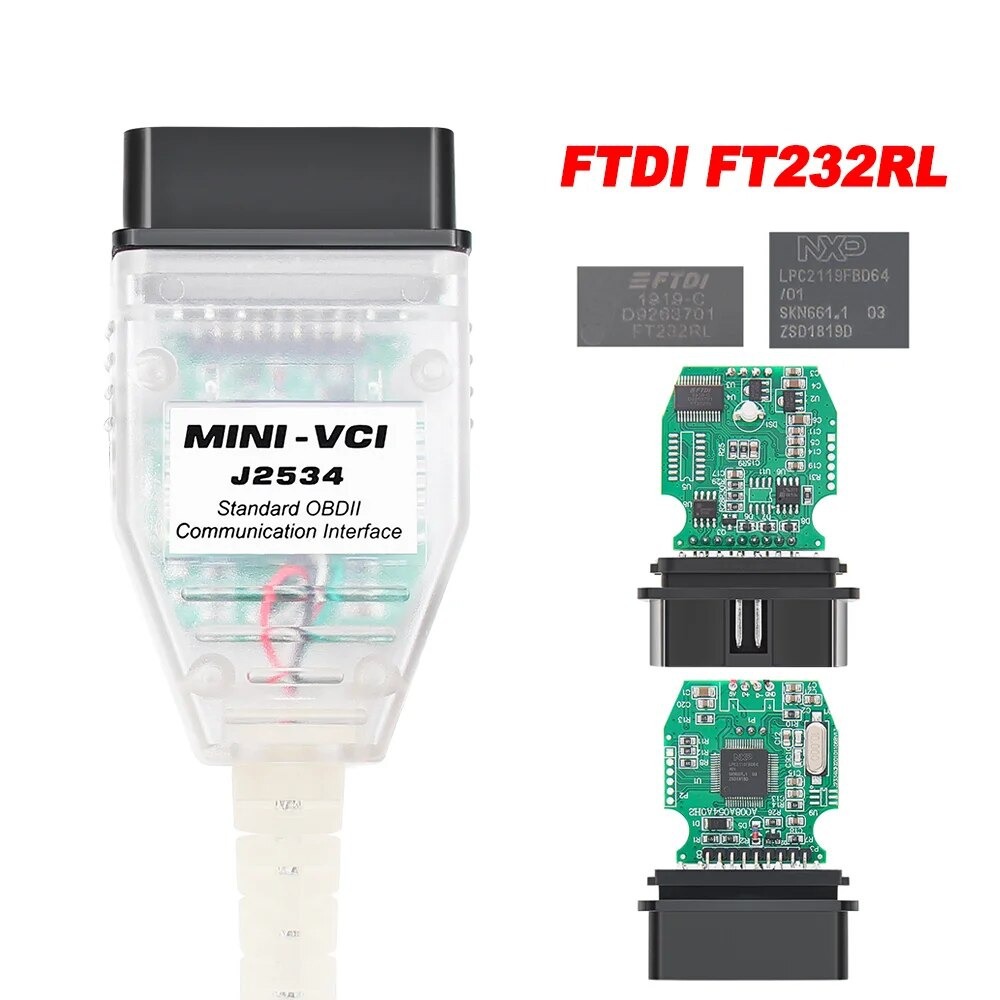
A Toyota-compatible OBD-II adapter (e.g., Mini VCI or J2534 pass-through device)
A Windows PC or laptop (Windows 7/10/11 recommended)
The Techstream software (official or aftermarket versions available)
Steps to Install & Run Techstream:
Download & Install Techstream (official version requires a TIS Toyota subscription).
Connect the OBD-II adapter to your Toyota’s diagnostic port (usually under the dashboard).
Launch Techstream and select your vehicle model.
Run diagnostics, view live data, or perform module programming.
Pro Tip: Many users look for "Toyota Techstream crack" or free versions, but official software ensures full functionality and updates.
TIS Toyota (Toyota Information System)
TIS Toyota is Toyota’s official repair and diagnostic portal. It provides:
Service manuals & wiring diagrams
Technical service bulletins (TSBs)
Software updates for ECUs
Programming guides for keys and immobilizers
How to Access TIS Toyota
Dealerships & authorized shops get full access.
Independent mechanics can purchase short-term subscriptions.
Some information is available for free at techinfo.toyota.com.
Common Uses of TIS Toyota:
Resetting maintenance lights
Reprogramming new keys
Fixing hybrid system errors
Toyota GTS (Global Diagnostic System)
Toyota GTS is the next-generation diagnostic tool, replacing older systems like Techstream in some regions. Key features:
Faster diagnostics with cloud-based updates
Enhanced security (required for newer Toyota models)
Remote diagnostics capabilities
Techstream vs. GTS: Which is Better?
| Feature |
Techstream |
GTS |
| Compatibility |
Older Toyotas (pre-2020) |
Newer models (2020+) |
| Updates |
Manual downloads |
Cloud-based |
| Accessibility |
Works offline |
Requires internet |
| Cost |
Cheaper (one-time purchase) |
Subscription-based |
Note: Many independent shops still use Techstream because it works on most Toyotas, while GTS is mainly for dealerships.
Common Toyota Diagnostic Trouble Codes (DTCs)
Using Techstream or GTS, you may encounter these common codes:
| Code |
Description |
Possible Fix |
| P0171 |
System too lean (Bank 1) |
Check MAF sensor, vacuum leaks |
| P0420 |
Catalyst efficiency low |
Replace catalytic converter |
| C1201 |
Engine control system malfunction |
Inspect throttle body, ECU |
| B2799 |
Immobilizer system error |
Reprogram key with Techstream |
Tip: Always check TIS Toyota for official repair procedures.
Best OBD-II Scanners for Toyota Diagnostics
If you don’t have Techstream, these scanners work well:
Foxwell NT530 (with Toyota add-on) – Affordable alternative.
Autel MaxiCOM MK808 – Reads Toyota-specific codes.
Launch X431 Pro – Advanced diagnostics for hybrids.
DIY Toyota Diagnostics: Step-by-Step
Want to diagnose your Toyota at home? Follow these steps:
Step 1: Connect an OBD-II Scanner
Plug into the 16-pin port (usually under the dash).
Use Techstream or a compatible scanner.
Step 2: Read Codes
Check for pending or active DTCs.
Write them down for research.
Step 3: Check TIS Toyota for Fixes
Look up the code in TIS or repair manuals.
Step 4: Clear Codes & Test Drive
Fix the issue, then clear codes to see if they return.
Conclusion
Toyota diagnostics rely on Techstream, TIS Toyota, and GTS for accurate repairs. Whether you're resetting an airbag light, programming a key, or troubleshooting an engine code, these tools are essential.
Key Takeaways:
Techstream is the best for most DIY and independent shops.
TIS Toyota provides official repair data.
GTS is the future but mostly for dealerships.
Always use reliable scanners and follow Toyota’s repair guides.
By mastering these tools, you can keep your Toyota running smoothly for years!
FAQ
Q: Can I use Techstream for free?
A: The official version requires a subscription, but some aftermarket versions exist (use at your own risk).
Q: What’s the difference between Techstream and GTS?
A: Techstream works offline for older models, while GTS is cloud-based for newer Toyotas.
Q: Where can I buy a Mini VCI cable for Techstream?
A: Amazon, eBay, or specialized auto tool stores sell compatible cables.
For more Toyota diagnostic tips, check our YouTube tutorials or forum discussions!



