Looking for the best Mercedes-Benz diagnostic tools? Learn about the MB Star C4 DoIP, Xentry, Vediamo, and DTS Monaco software for professional-grade car diagnostics. Discover key features, compatibility, and setup tips for seamless Mercedes-Benz repairs.
Mercedes-Benz vehicles are known for their advanced engineering, but diagnosing issues requires specialized tools. Among the most trusted devices is the MB Star C4 DoIP, paired with software like Xentry, Vediamo, and DTS Monaco. This guide covers everything you need to know about Mercedes-Benz diagnostics, including hardware specifications, software setup, and expert tips.
The MB SD C4 is a powerful diagnostic tool designed specifically for Mercedes-Benz vehicles. Unlike generic OBD2 scanners, it provides deep access to ECUs, transmission systems, and other modules.
Supports KWM2000 protocol for full K-line communication.
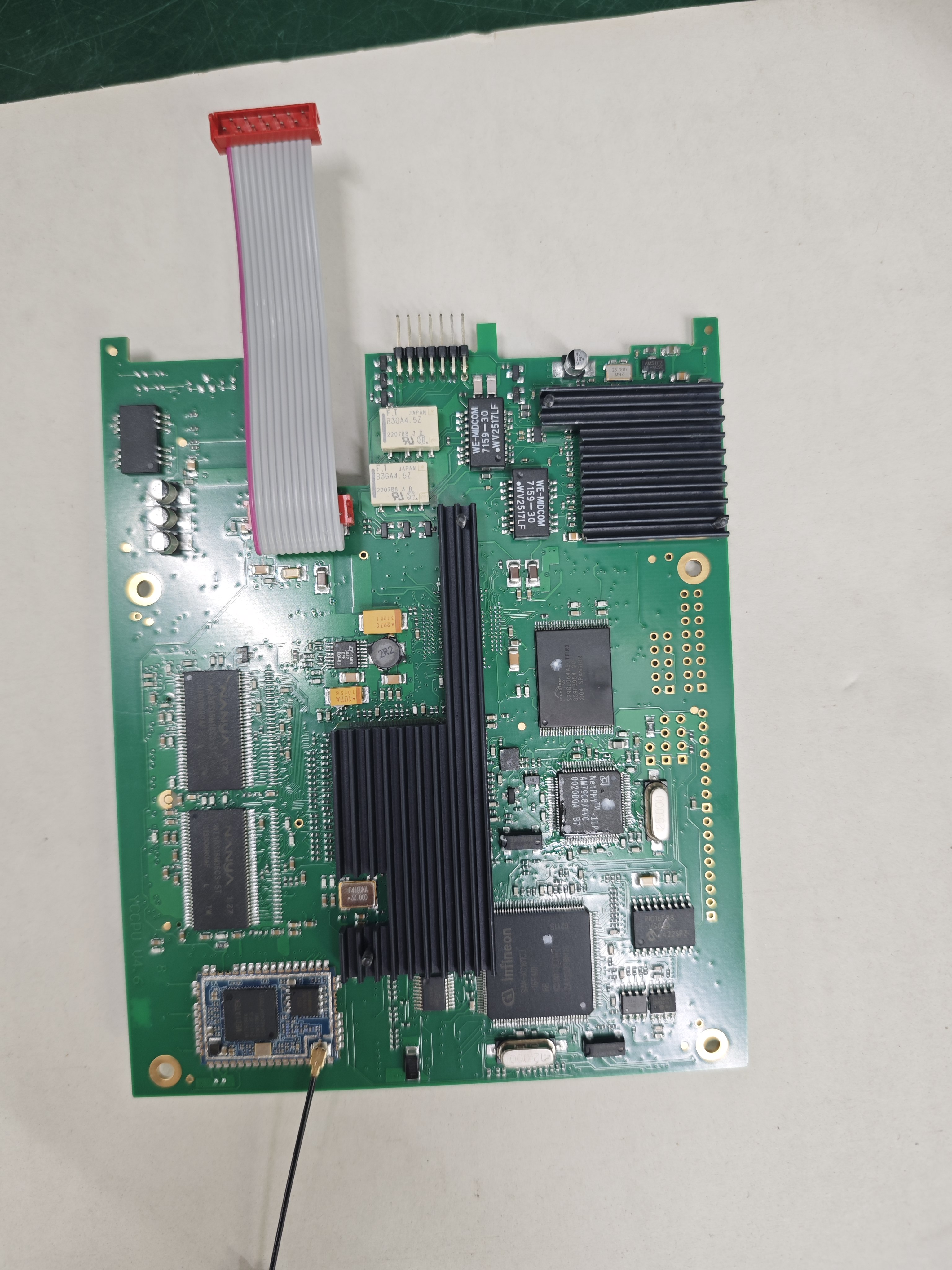
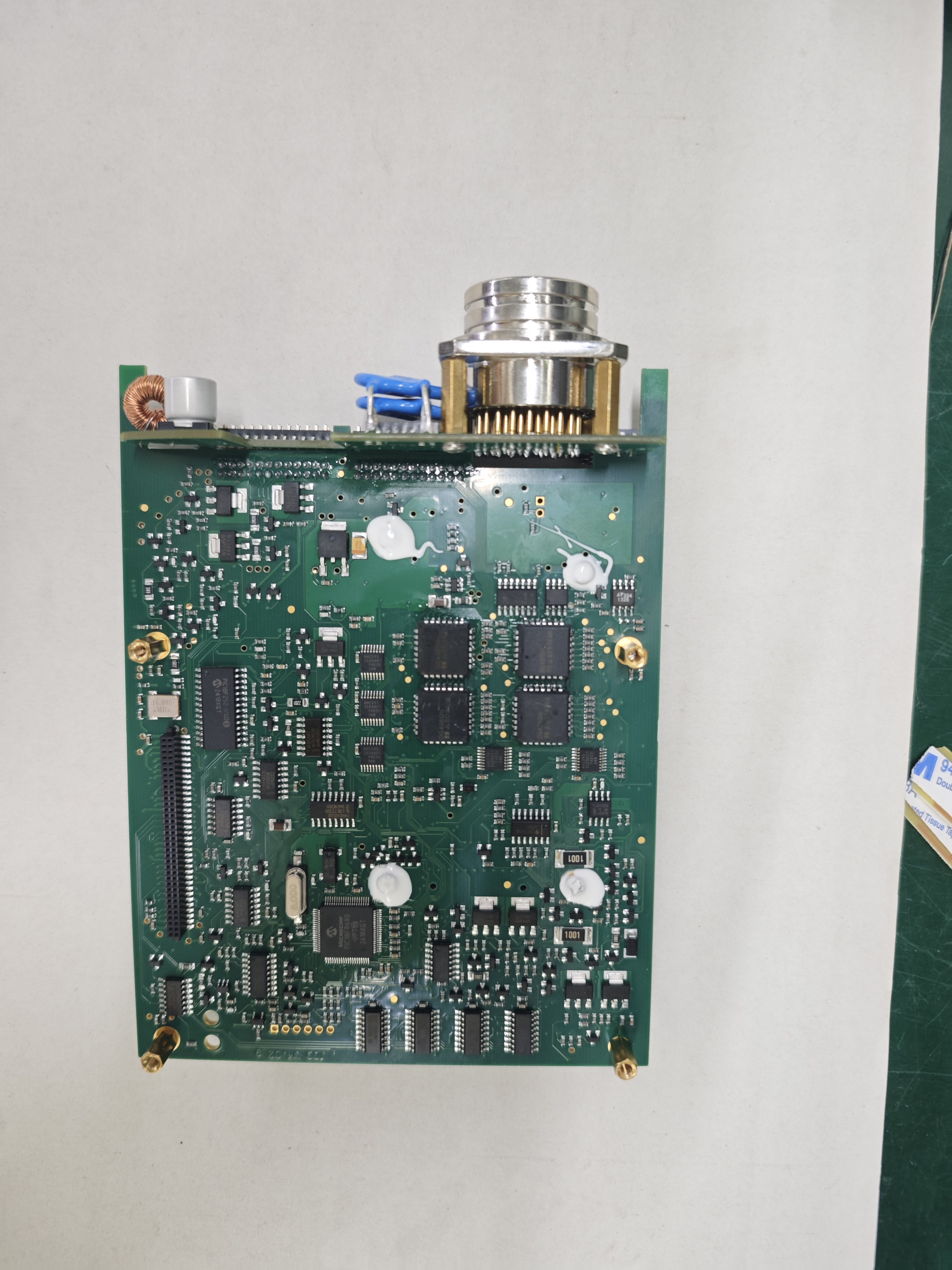
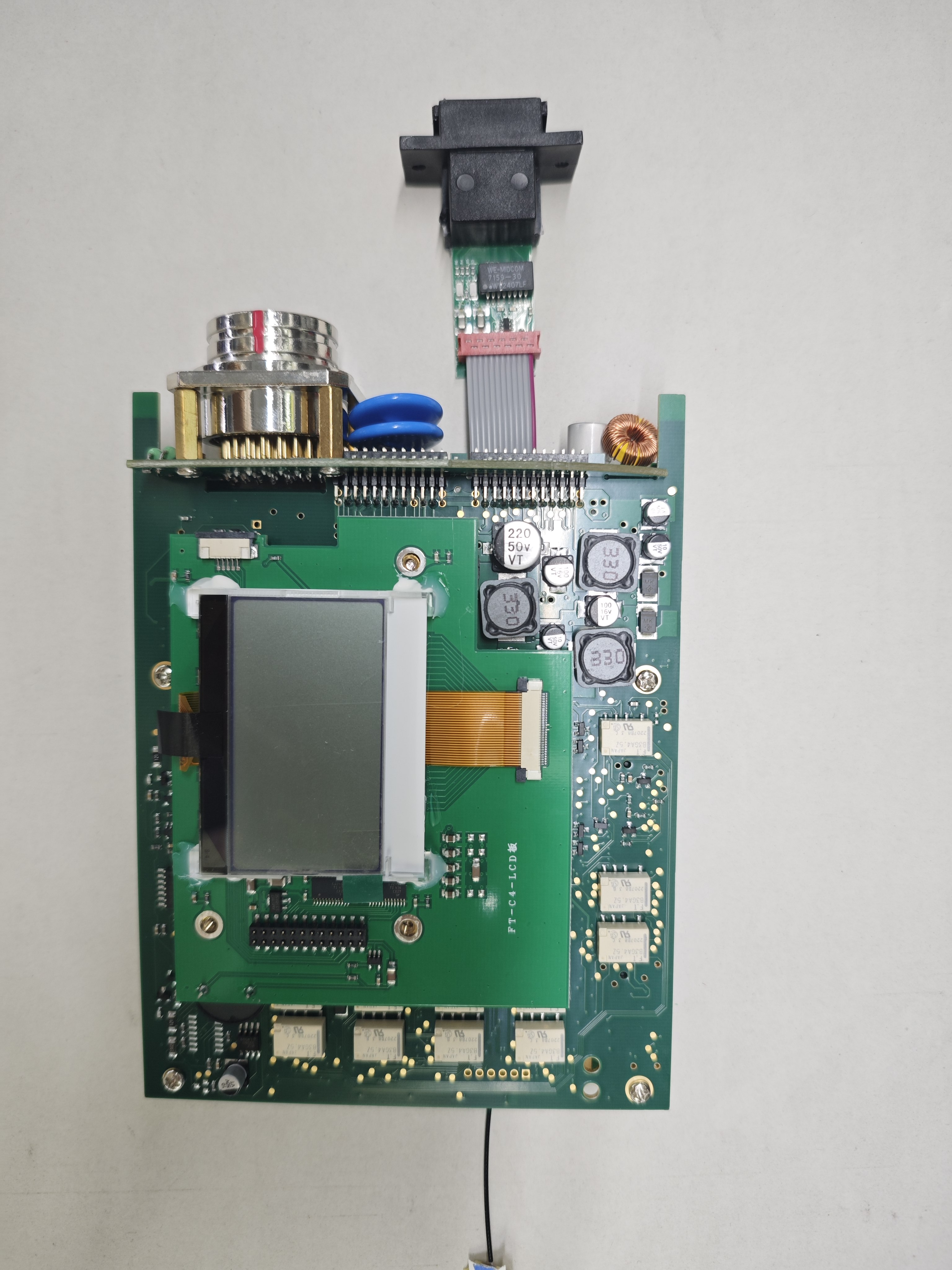
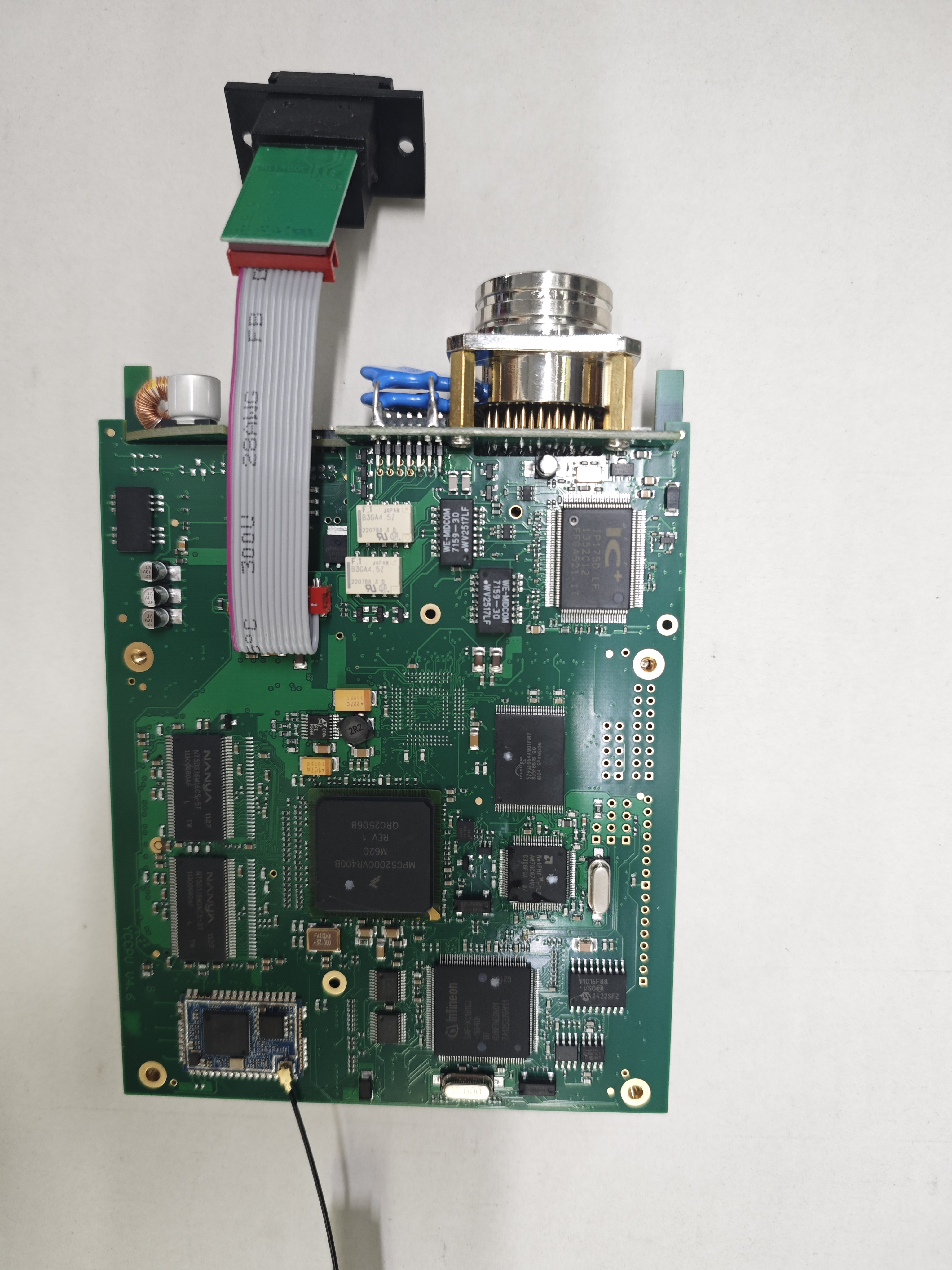
8-layer mainboard for enhanced durability and signal integrity.
DG406 serial port protocol chip ensuring stable data transmission.
Pre-installed software (Xentry, Vediamo, DTS Monaco) for immediate use.
Build Quality & Hardware Verification
A common concern among buyers is whether the device uses genuine components. Here’s what to look for:
Original OKI chip (ensures full K-line module compatibility).
4-layer or 8-layer PCB (higher layers mean better signal quality).
Real internal PCB photos (verify before purchase).
Pro Tip: Always ask the seller for real internal photos of the MB SD C4 PCB to confirm build quality.
MB Star C4 DoIP PCB Main Board
Essential Mercedes-Benz Diagnostic Software
To fully utilize the MB Star C4 Diagnostic Tool, you need the right software. Here are the top three programs used by professionals:
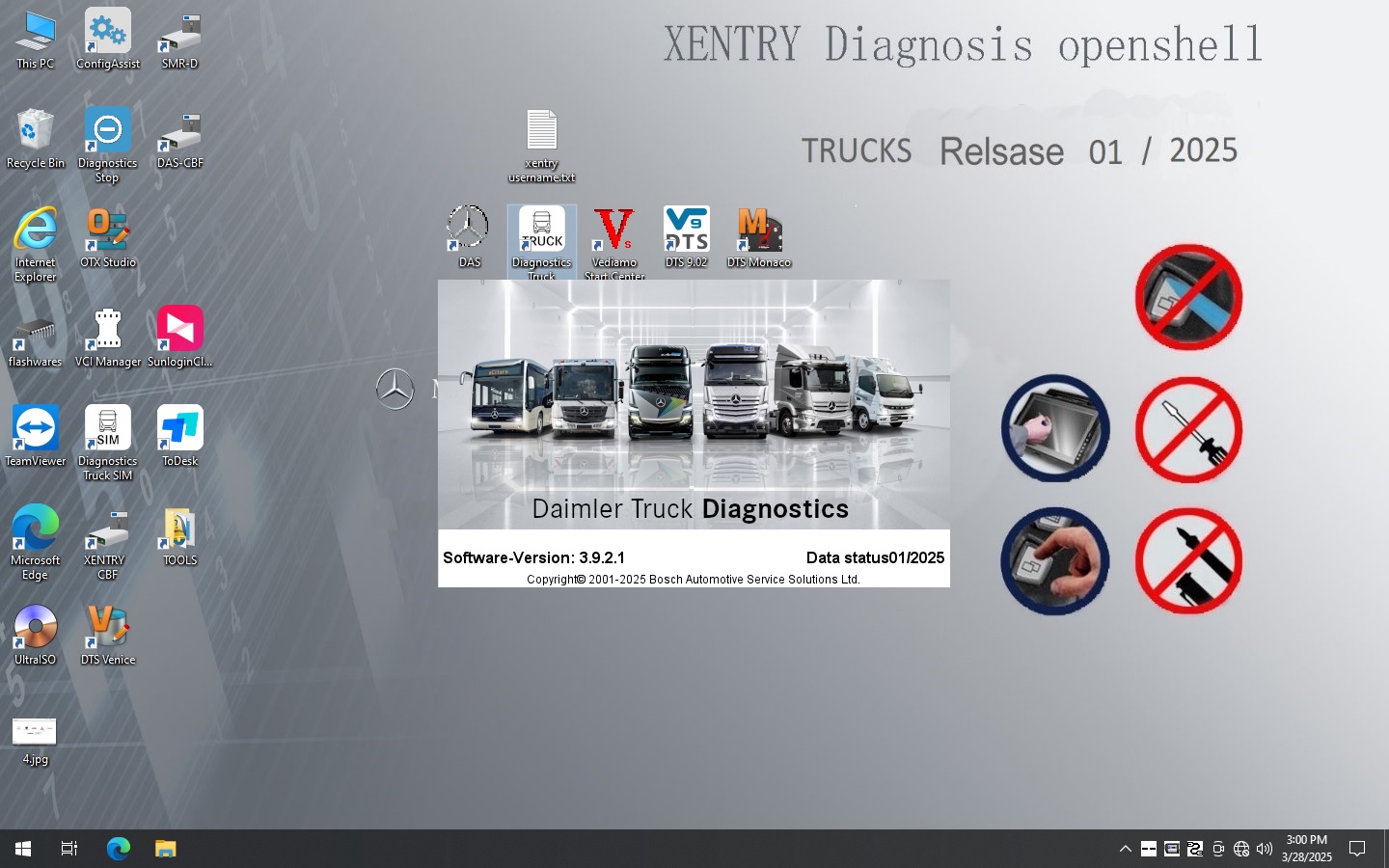
1. XentryOfficial Mercedes-Benz diagnostic software for reading fault codes, coding, and programming.
Covers all models, including S-Class, E-Class, and Sprinter vans.
Requires activation (many sellers provide activation guides).
 2. Vediamo
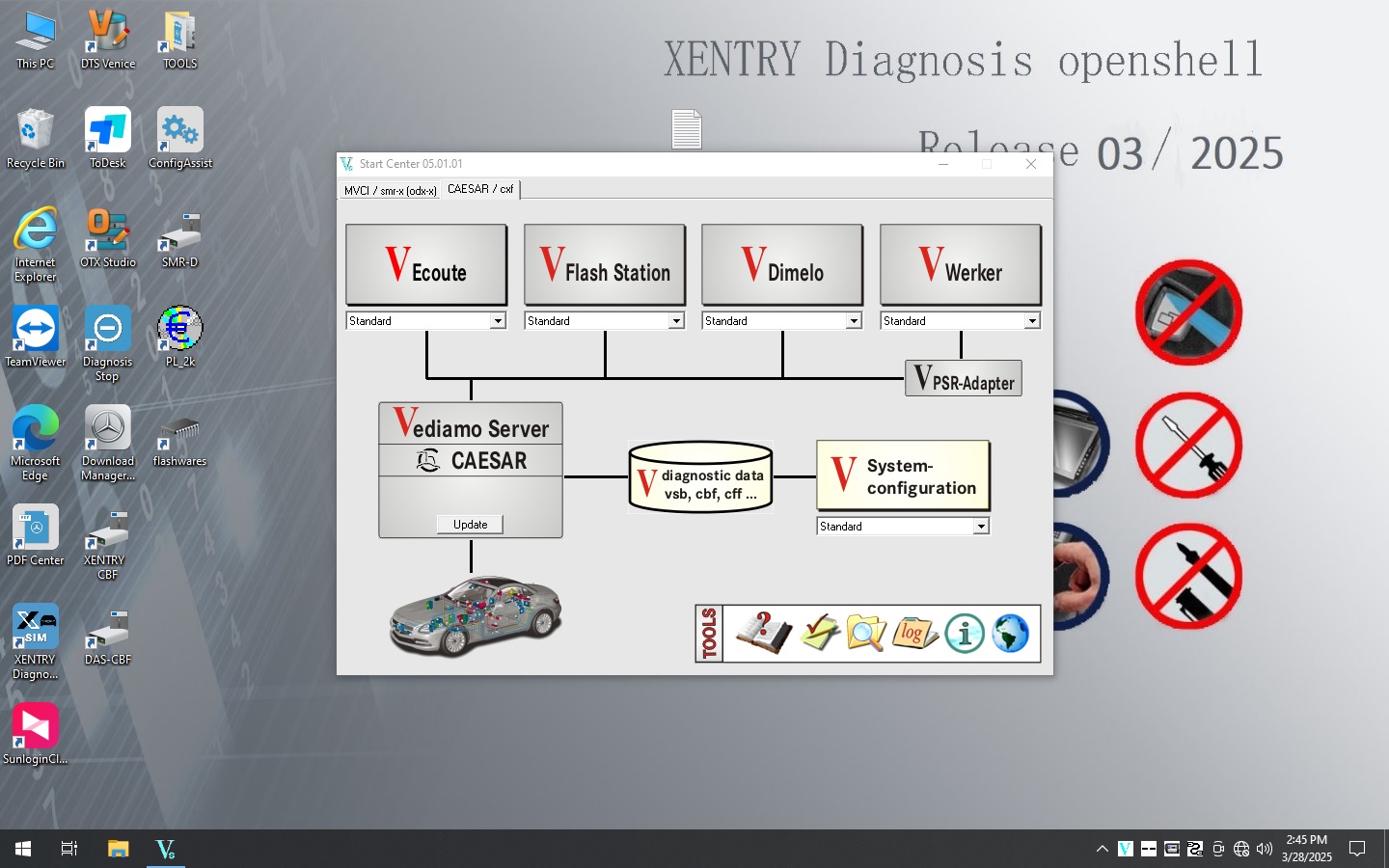
Used for deep ECU programming and parameter adjustments.
Ideal for advanced tuning and retrofitting.
Works alongside Xentry for full system access.
 3. DTS Monaco
Specialized in heavy-duty trucks and commercial vehicles.
Enables component testing and adaptation.
Supports older Mercedes-Benz models (pre-2000).
Note: Since Mercedes-Benz software requires reactivation when changing computers, ensure your seller provides an activation video or guide.
Step 1: Install the Software
Most sellers pre-install Xentry, Vediamo, and DTS Monaco.
Follow the provided activation guide to avoid licensing issues.
Step 2: Connect the MB SD C4 to Your Vehicle
Use the OBD2 port (usually under the dashboard).
Ensure the K-line adapter is properly connected for older models.
Step 3: Run Diagnostics
Launch Xentry and select your vehicle model.
Scan for fault codes and perform necessary coding or programming.
SD Connect Mercedes Common Issues & Troubleshooting
1. Connection Problems
Check if the DG406 chip is functioning (common in counterfeit devices).
Verify K-line support if diagnosing older Mercedes models.
2. Software Activation Errors
Follow the seller’s reactivation guide.
Ensure your PC meets system requirements (Windows 10/11 recommended).
3. Incomplete Diagnostics
Update your Xentry software to the latest version.
Ensure the MB SD C4 firmware is up to date.
Where to Buy a Best quality MB Star C4 Diagnostic Tool
Avoid low-quality clones by purchasing from reputable sellers. Look for:
Real PCB photos (confirming OKI chip & 8-layer board).
Pre-installed & activated software.
Positive customer reviews (check forums like BenzWorld or MB Medic).
The MB SD C4 is a must-have for professional Mercedes-Benz diagnostics. With Xentry, Vediamo, and DTS Monaco, you can perform everything from basic scans to advanced ECU programming. Always verify hardware authenticity and follow proper setup procedures for optimal performance.



