Discover everything about the GM Tech 2 Scanner in this detailed guide. Learn about software setup, programming, common issues, and real user experiences. Perfect for mechanics and DIY enthusiasts working with GM vehicles.
The GM Tech 2 Scanner is a legendary diagnostic tool used by professionals and DIYers to troubleshoot, program, and maintain General Motors (GM) vehicles. Despite newer scanners entering the market, the Tech 2 remains popular due to its reliability and deep system access.
This guide covers GM tis2000 software installation, programming FAQs, common problems, and real-world user experiences from forums like JustAnswer, Reddit, and GM-specific communities.
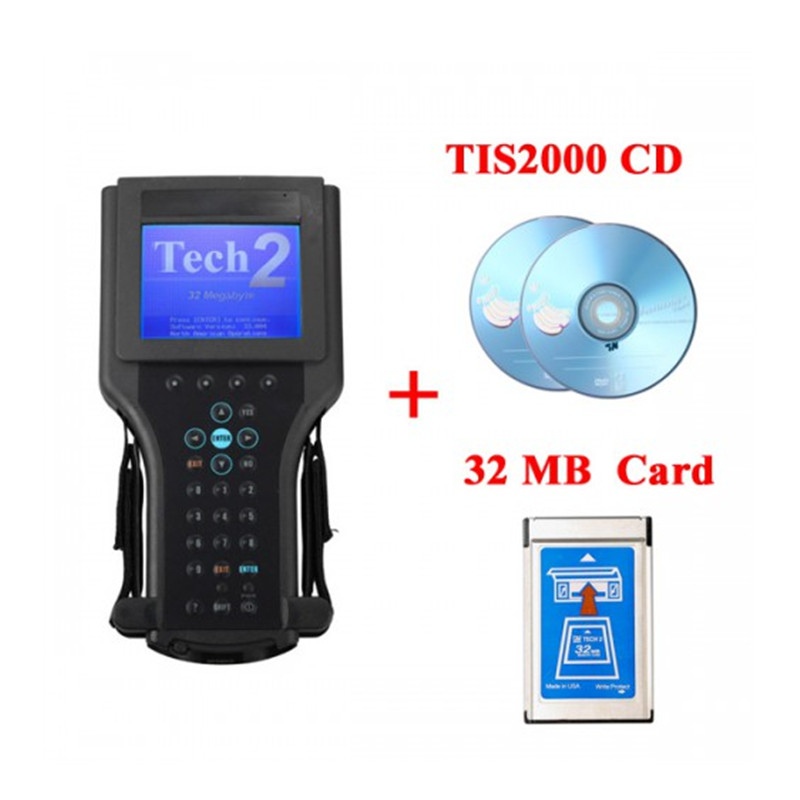
The Tech 2 is a handheld diagnostic tool designed for GM, Saab, Isuzu, and Holden vehicles (1992-2013). It performs:
Diagnostics (reading/clearing codes)
Module programming (PCM, BCM, TCM)
Key fob programming
ABS and airbag system scans
Why is the Tech 2 Still Used?
OEM-Level Access: Works better than many aftermarket scanners for older GM cars.
Affordable Clones: Chinese-made clones offer similar functionality at a lower cost.
Legacy Vehicle Support: Many shops still service pre-2013 GM models.
GM Tech 2 Software & Setup Guide
1. Required Software
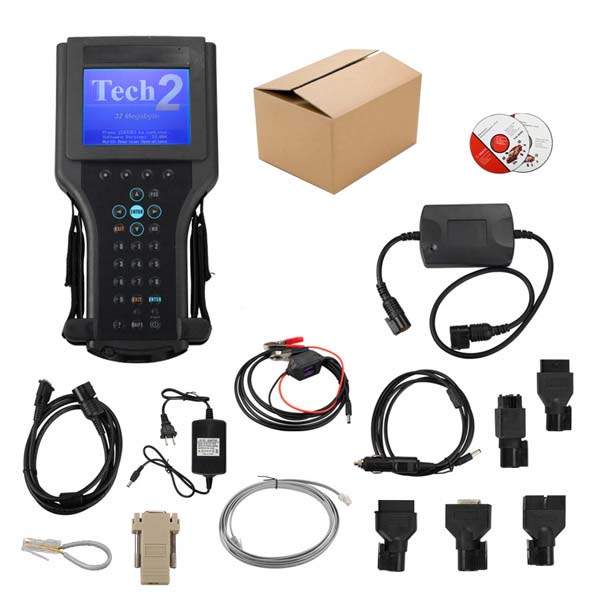
The Tech 2 requires TIS2000 software (for programming) and a VCI (Vehicle Communication Interface).
TIS2000 (Techline Terminal): Used for module reprogramming (PCM, BCM).
SPS (Service Programming System): Needed for newer GM vehicles (requires subscription).
Where to Get TIS2000 Software and Keygen?
TIS2000 Software Free Download TIS2000 Patch Free Download2. Installing TIS2000 on Windows
Common Issues & Fixes (From Forums):
Problem: "TIS2000 won’t install on Windows 10."
Solution: Use Windows XP or Windows 7 (32-bit) in a virtual machine (VMware/VirtualBox).
Problem: "VCI driver not detected."
Solution: Manually install drivers from the disc or download them from Tech 2 forums.
3. Connecting the Tech 2 to a Vehicle
Plug the VCI cable into the Tech 2 and OBD2 port.
Power the scanner via the car’s OBD2 port or external power supply.
Select the correct vehicle model and year.
User Tip (From Reddit):
"If your Tech 2 freezes, try a different power source. Weak voltage causes communication errors."
GM Tech 2 Programming FAQs
1. Can the Tech 2 Program Keys?
Yes, but only for certain models (pre-2013).
Step-by-Step:
Go to BCM > Special Functions > Program Key Fobs.
Follow prompts to add/remove keys.
Forum Case (JustAnswer):
"A user couldn’t program a 2008 Tahoe key. The issue? A faulty BCM needed replacement before programming."
2. How to Reprogram a PCM with Tech 2?
Connect Tech 2 and launch TIS2000/SPS.
Select "Reprogram ECU" and follow instructions.
DO NOT disconnect during flashing—bricking risk is high.
Common Problem:
"Flashing fails at 50%? Check battery voltage—must stay above 12V. Use a charger!"
3. Does Tech 2 Work with Saab and Isuzu?
Yes, but requires correct cartridge software.
Saab: Needs Saab-specific card.
Isuzu: Use Isuzu-specific card.
Common GM Tech 2 Problems & Fixes
1. "Tech 2 Won’t Power On"
Cause: Dead battery or faulty cable.
Fix: Use external power or replace the battery.
2. "No Communication with Vehicle"
Check: OBD2 fuse, cable connection, and correct vehicle selection.
Forum Tip: "Try a different OBD2 port—some GM trucks have two."
3. "Software Crashes During Programming"
Solution:
Use Windows XP compatibility mode.
Ensure stable power and internet (for SPS).
GM Tech 2 vs. Newer Scanners (VCDS, Autel, Snap-On)
| Feature |
GM Tech 2 |
Autel MaxiCOM |
Snap-On Solus |
| GM-Specific Coding |
✅ Best |
❌ Limited |
⚠️ Some |
| Key Programming |
✅ Yes |
✅ Yes |
✅ Yes |
| Legacy GM Support |
✅ Excellent |
❌ Patchy |
⚠️ Moderate |
| Cost |
$$ (Clones $200-$500) |
$$$ |
$$$$ |
Verdict:
The GM Tech 2 Scanner remains a vital tool for diagnosing and programming GM vehicles. While newer scanners offer flashier interfaces, the Tech 2’s deep system access makes it irreplaceable for many mechanics and enthusiasts.



