Looking for the best Volvo diagnostic tool? Discover Volvo VIDA DICE, the top Volvo diagnosis software for engine scanning, coding, and programming. Get free Volvo VIDA software from a trusted Chinese supplier. Learn installation steps & features!
What Is the Best Diagnostic Tool for Volvo?
When it comes to professional Volvo diagnostics, the Volvo VIDA DICE system stands out as the most advanced and reliable tool. It is the official Volvo engine diagnostic software, designed for mechanics, dealerships, and enthusiasts who need in-depth vehicle analysis.
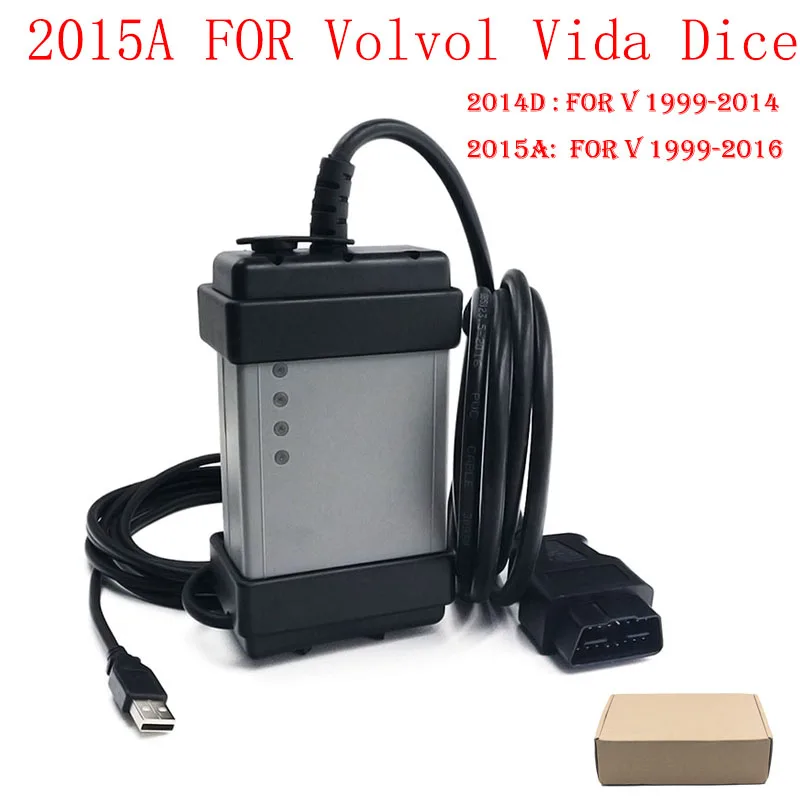
Volvo VIDA DICE (Diagnostic and Information Communication Equipment) is an integrated diagnostic system that provides:
Full Volvo vehicle scanning (engine, transmission, ABS, SRS, etc.)
Fault code reading & clearing
Programming & coding for Volvo modules
Software updates & calibration
Wiring diagrams & repair manuals
This tool is essential for Volvo diagnosis, ensuring accurate troubleshooting and maintenance.
How Do I Get Volvo VIDA Software?
As a leading Chinese supplier of automotive diagnostic tools, we provide free Volvo VIDA software with your purchase. Here’s how to install it:
Volvo VIDA Software Installation Guide
System Requirement: Windows 7 only (Turn off antivirus & firewall before installation).
Volvo Vida Dice Software Step-by-Step Installation:
Insert the USB key (keep it plugged in during installation & use).
Install VIDA 2015A via:
Path: Install \ DVD \ Vida_dvdheader \ Main \ setup.exe
Do not restart after installation—run "pacth_x64.exe" (for 64-bit) or "pacth_x86.exe" (for 32-bit) from the root folder.
Restart your laptop.
Open VIDA All-in-One, log in with username: 1.
Click "Define Vehicle Profile", select "D i C E-206751" as the communication tool.
Click "Configuration", note the Hardware ID, and provide it to receive "vida.lic".
Copy "vida.lic" to C:\VIDA, restart VIDA, and connect DICE—it’s ready to use!
⚠️ Note: Always keep the USB key inserted while running the software.
What Can You Do with Volvo VIDA DICE?
Read & erase fault codes for all Volvo models (S60, XC90, V70, etc.)
Perform advanced coding & programming (ECU, CEM, keys, etc.)
Access real-time data & live parameters
View wiring diagrams & technical bulletins
Reset service lights & maintenance reminders
✅ Free Volvo VIDA software included
✅ Full compatibility with all Volvo models
✅ User-friendly interface with multilingual support
✅ Reliable Chinese supplier with fast support
Get Your Volvo VIDA DICE Today!
Upgrade your Volvo diagnostics with the best tool on the market. Contact us now for the best Volvo diagnostic scanner at competitive prices!



