Unlock your car's true potential with the SM2 Pro! This comprehensive guide explains how to use the SM2 Pro J2534 pass-thru device for professional car diagnostics, ECU tuning, and programming via the standard OBD-II port. Learn about its capabilities, compatible software, and how to get started.
For car enthusiasts, professional mechanics, and tuners, the SM2 Pro is a game-changer. It's a J2534 pass-thru device that acts as a universal bridge between your PC and a vehicle's electronic control units (ECUs). Whether you're looking to perform in-depth diagnostics, reprogram a module, or remap an ECU for performance, the SM2 Pro provides the robust and versatile interface you need.
A key question for many users, especially those purchasing from overseas, is: "Can I connect the SM2 Pro to my car via the OBD-II port?" The answer is a resounding yes. This guide will walk you through exactly how it works and what you can achieve with this powerful tool.
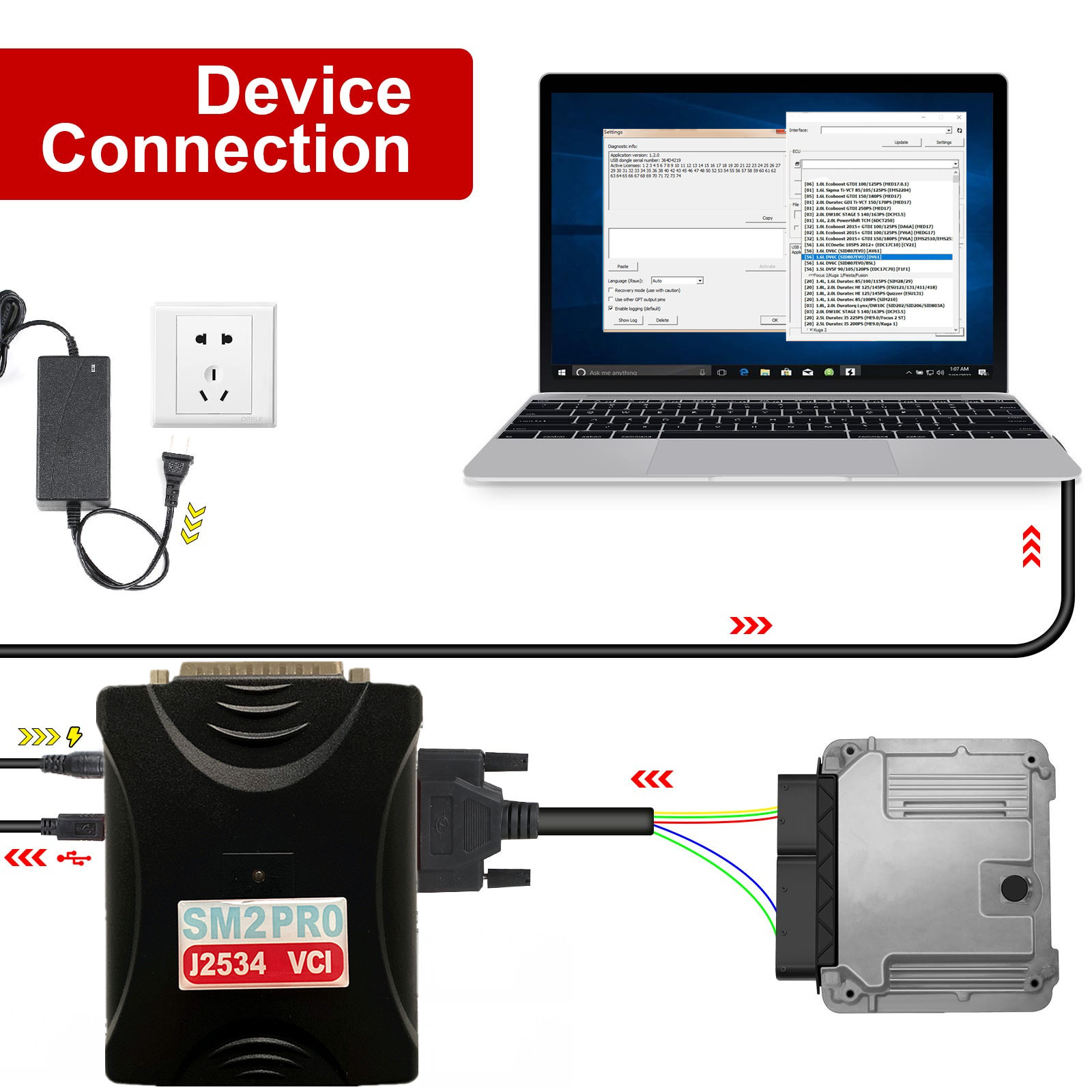
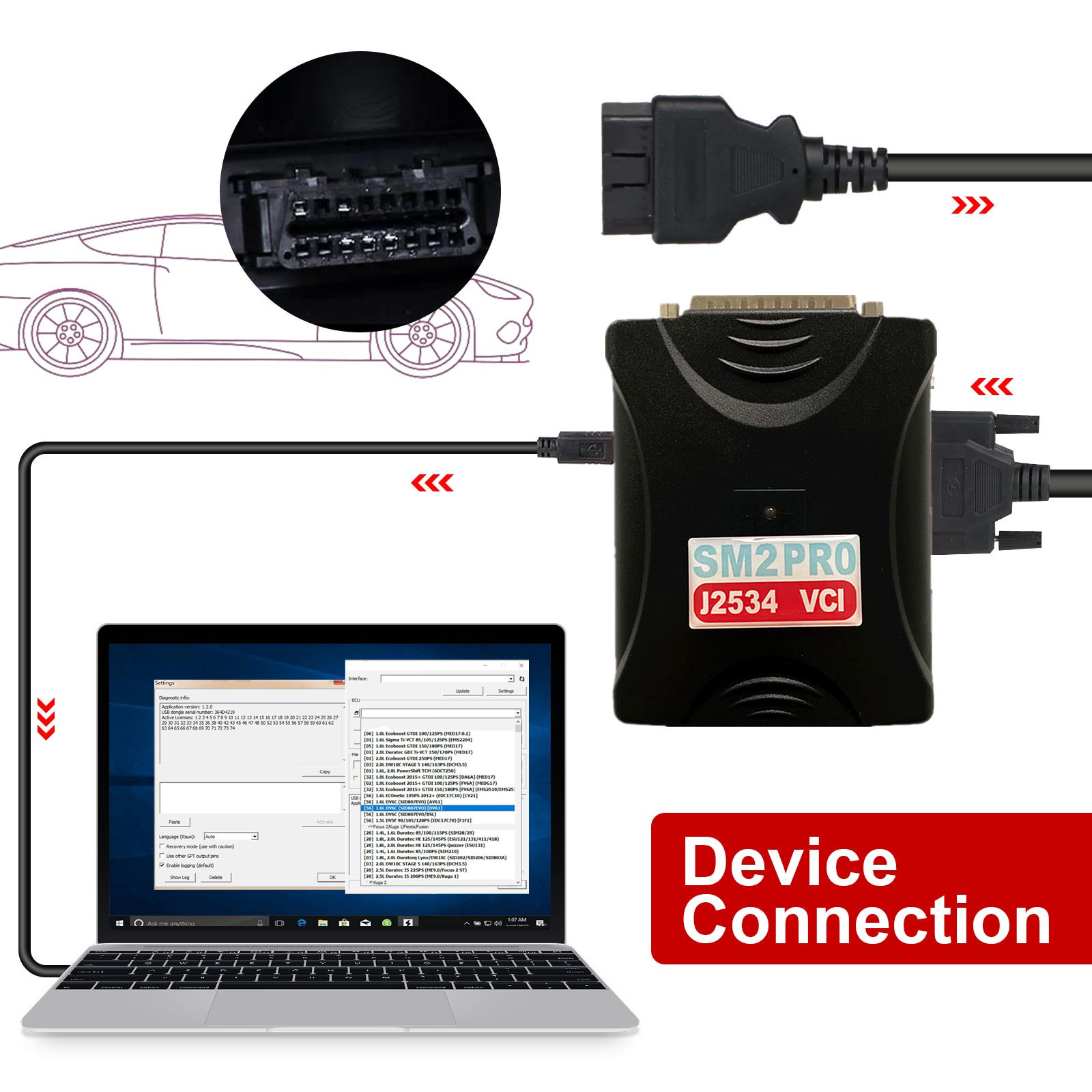
How the sm2 pro j2534 vci Connects to Your Car's OBD-II Port
The SM2 Pro is designed for seamless integration with modern vehicles. The connection process is straightforward:
The SM2 Pro Hardware: The device itself is a compact, durable unit that contains the sophisticated electronics required to communicate with a car's various protocols. These protocols include J1850 VPW, J1850 PWM, ISO-9141, KWP2000 (ISO-14230), and multiple CAN bus lines.
The OBD-II Cable: Your SM2 Pro kit will come with a standard 16-pin OBD-II cable. One end of this cable plugs directly into the SM2 Pro device, while the other connects to your vehicle's diagnostic port. The OBD-II port is a standardized connector found on all cars manufactured since 1996 and is typically located under the dashboard on the driver's side.
Connecting to Your PC: The SM2 Pro communicates with your computer via a USB cable or, on some models, wirelessly via Bluetooth. This connection allows the diagnostic or tuning software on your PC to send commands to the vehicle's ECU through the SM2 Pro adapter.
This simple setup allows you to read fault codes, view live data, perform system tests, and even re-flash a vehicle's ECU—all from the comfort of your laptop.
Why is the SM2 Pro so Versatile? The J2534 Standard
The reason the SM2 Pro is so powerful lies in its compliance with the SAE J2534 standard. J2534, also known as "Pass-Thru," is a standardized communication protocol that allows a single hardware device (like the SM2 Pro) to work with various OEM and third-party software applications.
This means you don't need a different tool for every car brand. With the right software, the SM2 Pro can function as a dealer-level diagnostic tool for a wide range of vehicles, including GM, Ford, Honda, Toyota, and many others. It's the go-to tool for:
ECU Programming and Re-flashing: Update or replace a vehicle's ECU software to fix bugs, improve performance, or address recalls.
Module Coding and Adaptations: Configure new or existing modules to work correctly with the rest of the car's systems.
Performance Tuning: Use specialized tuning software (like PCMFlash) to read and modify ECU maps for Stage 1-3 tunes, DPF/EGR removal, DTC off, and more.
Comprehensive Diagnostics: Read and clear diagnostic trouble codes (DTCs) from all vehicle modules, not just the engine.
SM2 Pro J2534 VCI vs. Other Tools: Key Advantages
When comparing the SM2 Pro to other diagnostic interfaces on the market, its versatility and stability stand out. While some tools are limited to basic code reading, the SM2 Pro's J2534 compliance gives it professional-grade functionality.
Broad Software Compatibility: The SM2 Pro works with a huge list of professional software, including OEM dealer tools like GM GDS2/SPS, Honda HDS, and Toyota Techstream, as well as popular tuning applications.
Robust and Stable: A reliable connection is critical for programming to avoid "bricking" an ECU. The SM2 Pro is known for its stable performance, thanks to features like galvanic isolation and protection against voltage spikes.
Flexibility: Beyond standard OBD connections, the SM2 Pro also supports "Bench" and "Boot" mode programming, allowing you to connect directly to an ECU on a workbench.
Getting Started: What You Need
To begin using the SM2 Pro for professional diagnostics and tuning, you'll need:
The SM2 Pro J2534 Device: Ensure your kit includes the necessary OBD-II cable.
A PC or Laptop: A stable, reliable computer is essential.
Compatible Software: This is the most important part. You will need to obtain the diagnostic or tuning software that is compatible with the J2534 standard and the tasks you want to perform.
In conclusion, the SM2 Pro is a top-tier J2534 pass-thru device that provides the functionality of multiple specialized tools in a single, powerful unit. Its ability to connect to a vehicle via the standard OBD-II port makes it an indispensable tool for anyone serious about car maintenance, repair, and performance tuning.



