Struggling with your Tech 2 rebooting when starting the car? Discover a simple fix for clone Tech 2 units without soldering. Learn how to use a modified OBD2 extension cable to prevent reboots during engine cranking.
Solved ! - Tech 2 Scanner Rebooting When Starting the Car
Why Does the Tech 2 Reboot When Starting the Car?
Many clone Tech 2 scan tools suffer from an annoying issue—they reboot when the car engine starts. This happens because the onboard power supply in clone units is too sensitive to voltage drops during cranking.
Unlike genuine Tech 2 devices, which handle voltage fluctuations better, clones often fail when the car’s battery voltage drops momentarily during ignition.
Common Fixes (And Why They Don’t Always Work)
Some solutions suggest modifying the internal power supply, but this requires soldering and disassembling the Tech 2—risky if you’re not experienced.
Another workaround involves using an external power supply connected to the Tech 2’s inline cable. However, the Tech 2 still defaults to OBD2 power (Pin 16) even with an external supply, meaning reboots still occur when cranking.
A simple and effective fix involves using a switched OBD2 extension cable to cut power from Pin 16, forcing the Tech 2 to rely on an external power source.
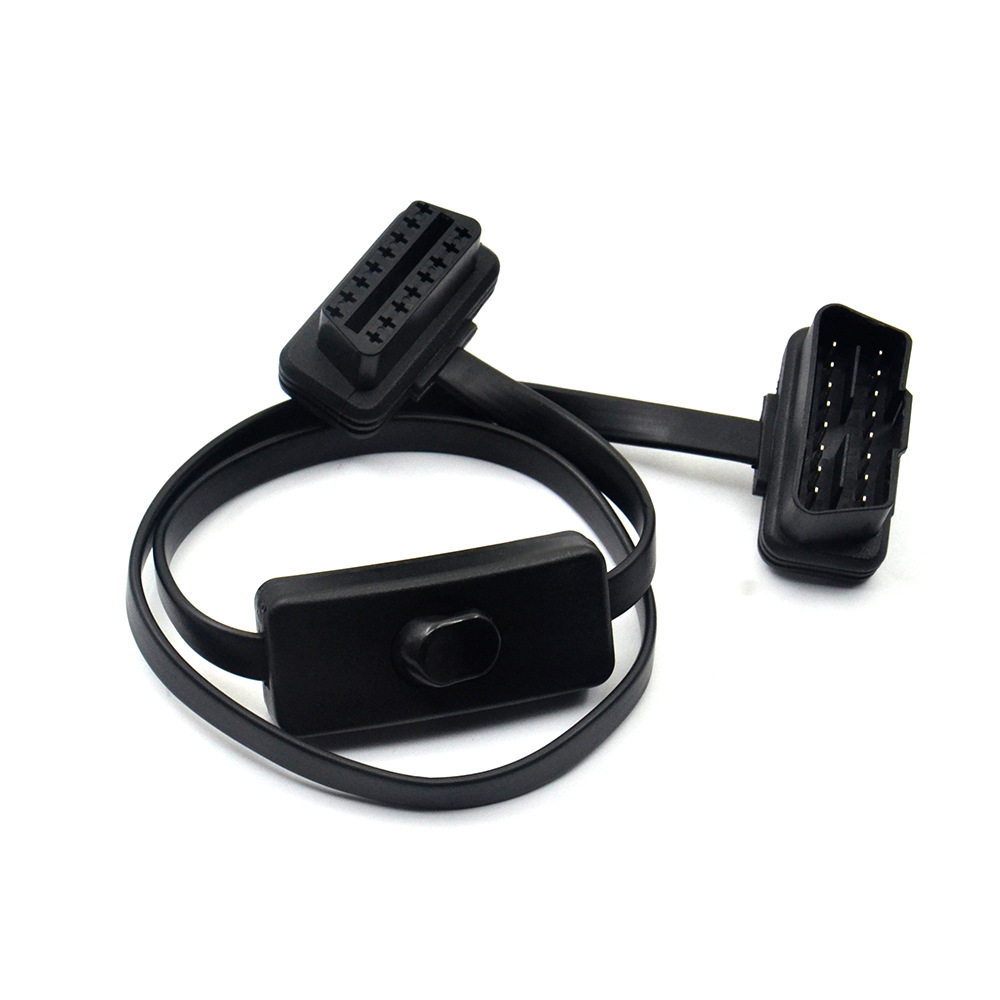
What You’ll Need:
OBD2 Extension Cable with Switch (Available on our website
www.cartooldeal.com )
External 12V power supply (either a wall adapter or a separate 12V battery—not the car’s battery)
How It Works:
Connect the
Tech 2 scanner via the extension cable.
Switch off Pin 16 (OBD2 power) using the switch on the cable.
Plug in the external power supply to the Tech 2’s inline cable.
Since Pin 16 is disabled, the Tech 2 defaults to the external power, preventing reboots during engine start.
Fixing the “I-Bus Missing” Error (Saab 9-3 & Other Vehicles)
Some users report an “I-Bus Missing” error when using this method. This happens because certain OBD2 pins (like Pin 1 in Saab 9-3) are not connected in standard extension cables.
Solution:
Check which OBD2 pins your car uses (For Saab 9-3 Mk2: Pins 1,4,5,6,7,14,16).
Modify the extension cable by soldering a jumper wire for missing pins (e.g., Pin 1).
Secure the wire along the cable and seal with epoxy for a clean finish.
This ensures full OBD2 communication while keeping the power fix intact.
Important Safety Notes
Never power the Tech 2 via its built-in socket while connected to a car—this is only for PC connections.
For safest operation, use a separate 12V battery (not the car’s battery) and connect its ground to the car’s battery ground to avoid earth loop issues.
Final Thoughts
This affordable and non-invasive fix prevents Tech 2 reboots without risky internal modifications. If you’ve struggled with this issue, try the switched extension cable method—just ensure all necessary OBD2 pins are connected for your vehicle.
Have you tried this fix? Share your experience in the comments!