Discover the SM2 PRO J2534 ECU Programmer – features, fixes for 'device not detected,' full ECU list, pricing, and how to use PFlasher. Best J2534 tool for BMW, Toyota, VW & more!
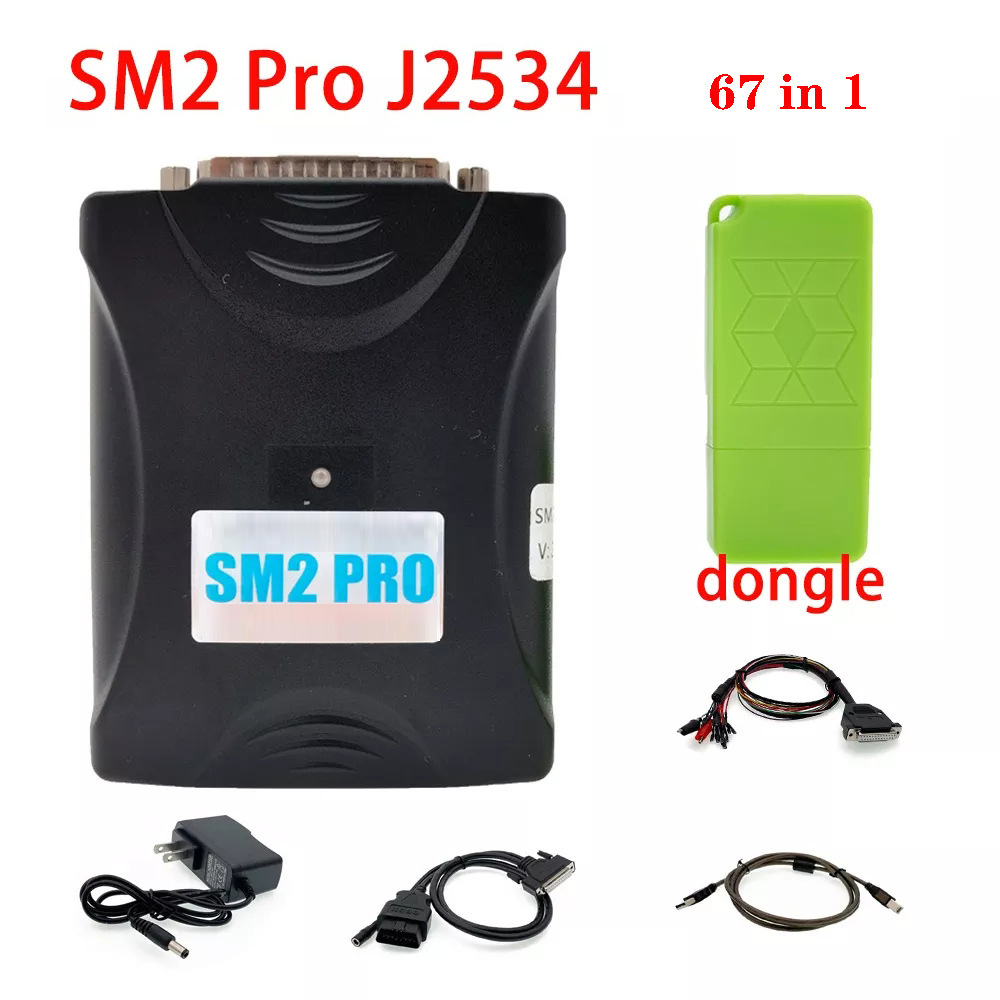
The SM2 PRO J2534 ECU Programmer is a powerful diagnostic and flashing tool designed for automotive professionals and enthusiasts. Compatible with a wide range of vehicle ECUs, this device supports programming, coding, and diagnostics for various car models.
In this comprehensive guide, we’ll cover:
SM2 PRO J2534 Features & Benefits
Common Issues (Like Device Not Detected on Laptop)
SM2 PRO J2534 ECU List (67 in 1 Supported Vehicles)
Why Choose SM2 PRO from www.cartooldeal.com?
How to Use the PFlasher Software
The SM2 PRO J2534 is a pass-thru programming tool that allows users to read, write, and reprogram vehicle ECUs. It complies with the SAE J2534-1 & J2534-2 standards, making it compatible with most OEM software like Toyota Techstream, BMW ISTA, VCDS, and more.
SM2 PRO J2534 ECU Programmer Key Features:
✔ 67-in-1 ECU Coverage – Supports major brands (Toyota, BMW, VW, Ford, etc.)
✔ PFlasher Software – Enables ECU flashing and diagnostics
✔ J2534 Compliance – Works with OEM dealership tools
✔ High-Speed Programming – Faster than most clone tools
✔ USB & Bluetooth Connectivity – Flexible connection options
2. Why is My SM2 PRO J2534 Not Detected on Laptop?
If your SM2 PRO J2534 is not showing up when connected, here are possible fixes:
Possible Causes & Solutions:
🔹 Driver Issues – Install the latest SM2 PRO drivers from the official website.
🔹 Faulty USB Cable/Port – Try a different USB cable or port.
🔹 Power Supply Problem – Some vehicles require ignition ON for detection.
🔹 PFlasher Software Not Installed – Download and install the latest version.
🔹 Anti-Virus Blocking – Disable firewall/anti-virus temporarily.
🔹 Device Hardware Failure – Test on another PC or contact the supplier.
Pro Tip: Always use Windows 7/10 (32-bit or 64-bit) for best compatibility.
3. SM2 PRO J2534 ECU List (67-in-1 Supported Vehicles)
The SM2 PRO J2534 supports a wide range of ECUs, including:
Popular Supported Brands:Toyota/Lexus (ECU, IMMO, Airbag)
BMW/MINI (DME, CAS, FRM)
VW/Audi/Skoda/Seat (ECU, IMMO, DSG)
Mercedes-Benz (ECU, EIS, SAM)
Ford (PCM, PATS)
Honda/Acura (ECU, IMMO)
Nissan/Infiniti (ECU, NATS)
Full ECU List: (Check manufacturer’s documentation for the latest updates.)
4. Why Choose SM2 PRO from www.cartooldeal.com?
✅ Direct from China Manufacturer – Lower prices, no middlemen
✅ 1-Year Warranty & Lifetime Technical Support
✅ Fast Worldwide Shipping
✅ Latest Firmware & Software Updates
5. How to Use SM2 PRO J2534 with PFlasher Software
Step-by-Step Guide:
Install Drivers & PFlasher Software (From official CD or website).
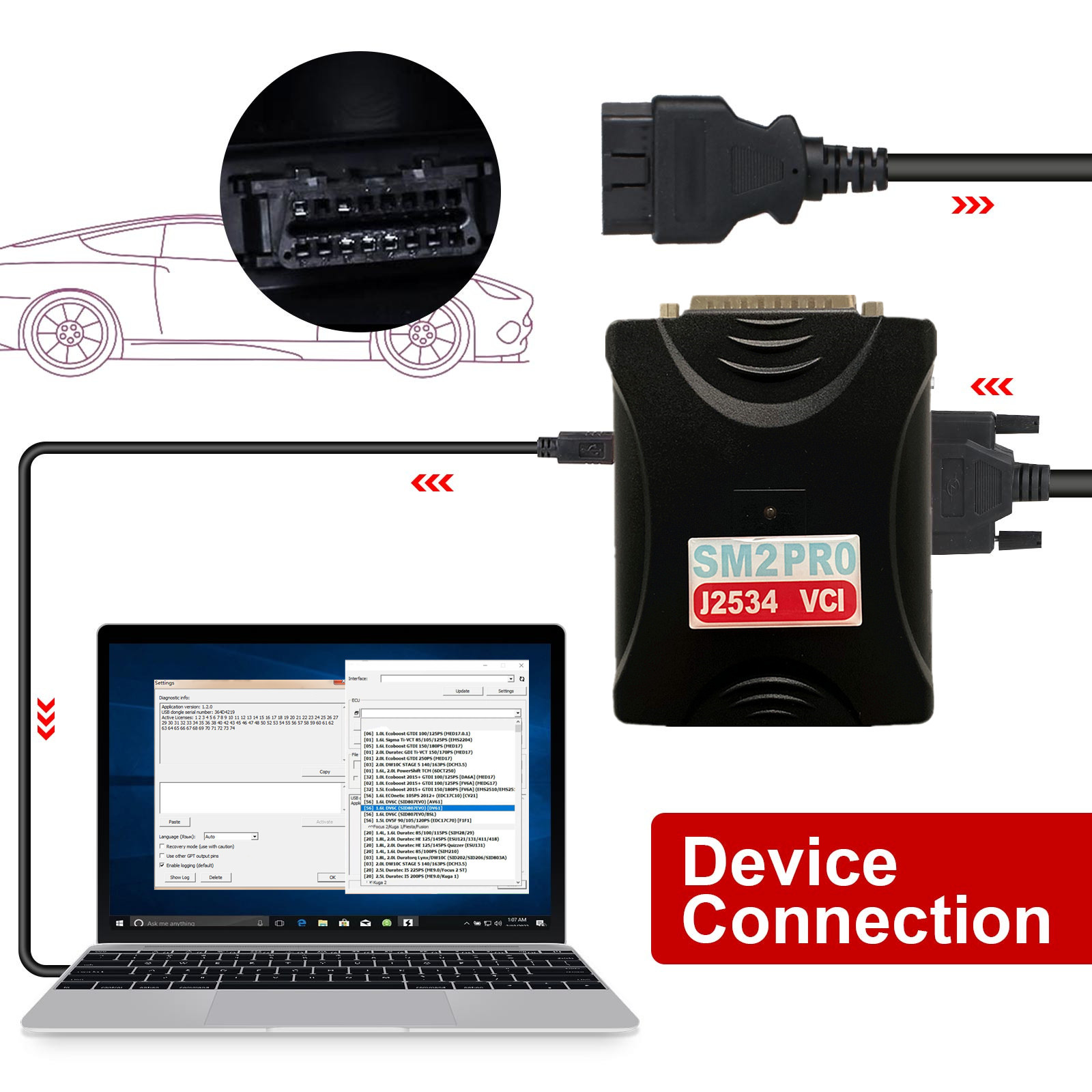
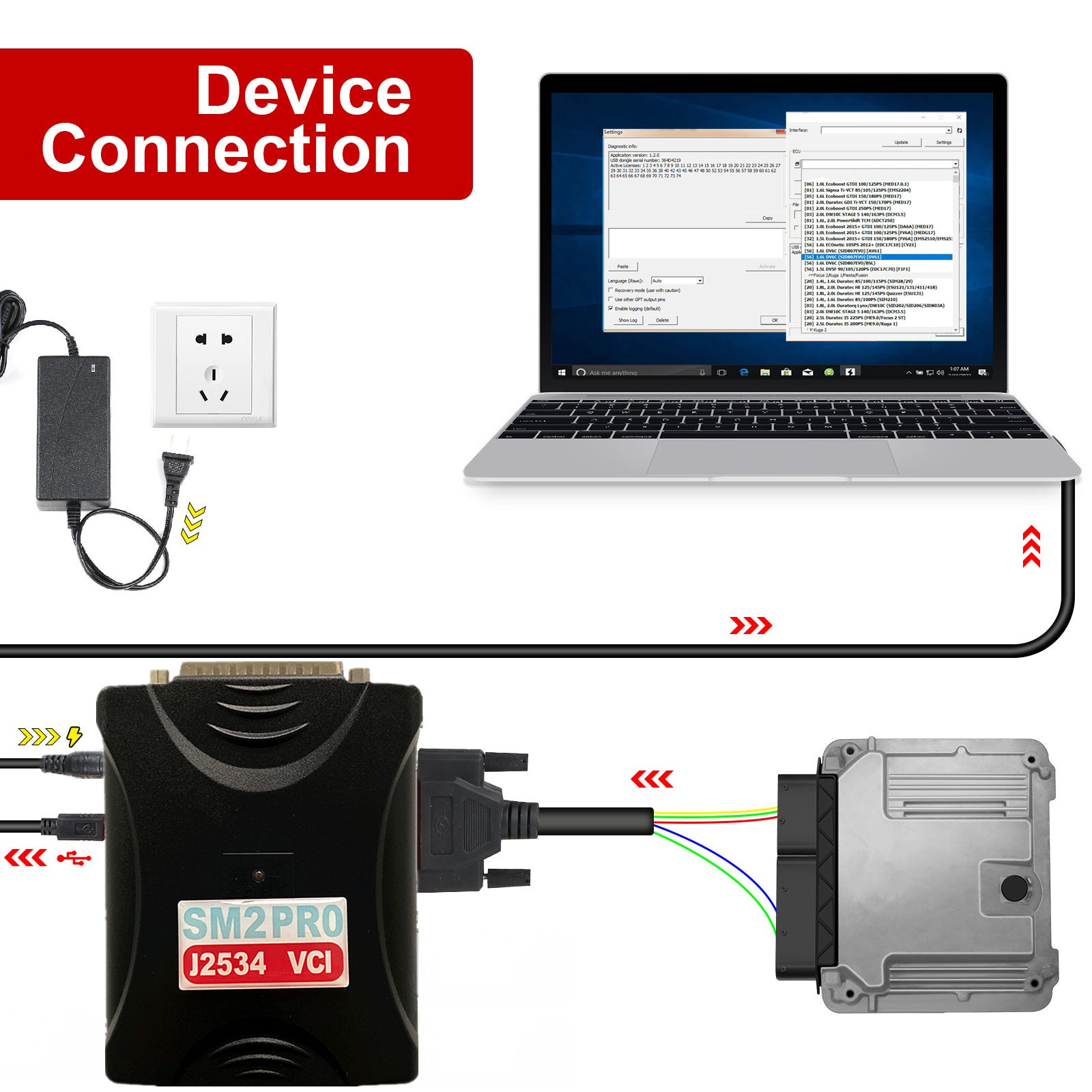
Connect SM2 PRO to Laptop & Vehicle OBD2 Port.
Open PFlasher & Select Vehicle Model.
Choose ECU Type (Engine, Transmission, IMMO, etc.).
Read/Write/Program ECU as Needed.
Save Backup Files Before Flashing.
⚠ Warning: Incorrect flashing can brick your ECU—always backup first!
The SM2 PRO J2534
ECU Programmer is a versatile tool for ECU diagnostics, coding, and flashing. While issues like device not detected can occur, most problems are fixable with proper drivers and setup.
Need Help? Comment below with your questions!



