If you own a modern Porsche—whether a 718 Cayman, 911 Carrera, Taycan, Cayenne, or Panamera—you’re driving a vehicle loaded with software-locked capabilities. Many features are built into the car’s control units but disabled by default from the factory. The good news? With the right diagnostic interface and software, you can enable them yourself.
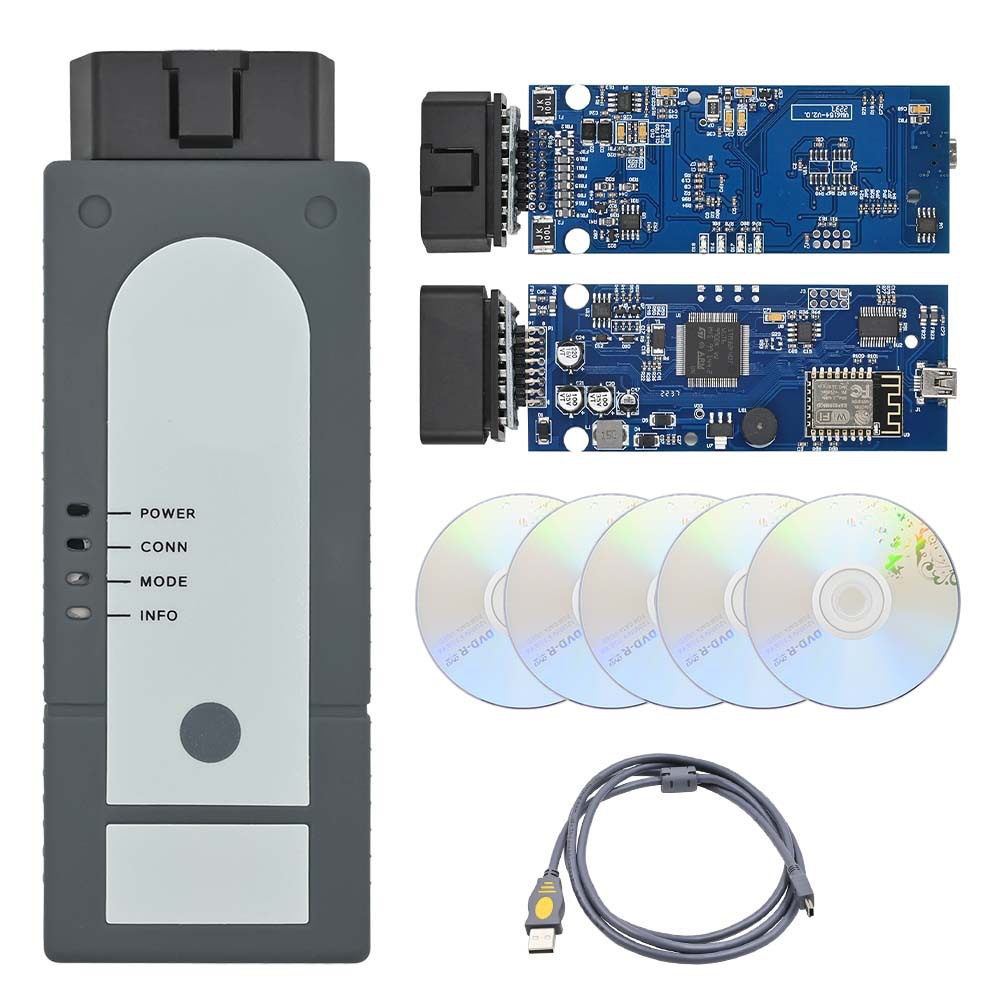
The industry-standard tool is the VAS6154 paired with PIWIS (Porsche Integrated Workshop Information System). This combination gives you the same access Porsche technicians have, allowing you to move beyond simple code reading and into professional‑grade coding, calibration, and programming.
The VAS6154 is a pass‑through diagnostic interface that connects your car’s OBD2 port to a Windows‑based laptop. It fully emulates the official tool Porsche dealers use. Unlike generic OBD scanners, the VAS6154 supports the full breadth of Porsche’s proprietary protocols, enabling bidirectional communication with every control module.
Compatibility – Works with PIWIS II and PIWIS III software.
Speed – High‑speed CAN, DoIP (Diagnosis over IP), and legacy K‑Line support.
Stability – Designed for extended coding sessions and flashing.
Note: The VAS6154 is hardware. The software that gives it power is PIWIS.
| Software | Supported Model Years |
|---|---|
| PIWIS II | Up to 2017 (991.1, 958 Cayenne, 981) |
| PIWIS III | 2017+ (992, 982, 9YA Cayenne, Taycan, 718) |
The VAS6154 device works with both PIWIS II and III. You simply load the appropriate software version depending on your car’s model year. For vehicles from 2018 onward, PIWIS III is mandatory.
Reset oil service interval
Register a new 12V battery (AGM, lithium, or standard)
Perform ABS bleeding, steering angle calibration, and parking brake service mode
Engineering Mode – Full access to developer menus
Sport Exhaust – Retrofit and code factory exhaust valve control
Full‑screen Apple CarPlay – Remove the awkward split‑screen on PCM 4.0/5.0
Video in Motion – Play media on the center screen while driving
Matrix LED / PDLS+ – Enable glare‑free high beams and dynamic bending lights
Auto Start/Stop memory retention – Car remembers your last setting (off or on). Note: The logic exists in every recent Porsche but is disabled by default.
Drive mode memory – Keep the car in Sport or Sport Plus after restart. Factory default always reverts to Normal.
Seat heating / ventilation memory – Maintains last setting after ignition cycle
Suspension ride height – After spring or air suspension changes
Headlight basic setting – Required after replacing a control unit or headlight assembly
ACC (Adaptive Cruise Control) calibration
As many Porsche enthusiasts have observed: “The fact that start/stop memory is built in but disabled by default almost sounds like Porsche engineers want you to turn it off.” The same applies to mode memory—the software supports it, but the factory hides it.
Yes, if done correctly. Unlike cheap “coding dongles” that manipulate CAN bus messages in real time, PIWIS writes permanent configuration changes to the module’s coding data. This is the same method a dealer uses. However:
Always back up original coding values.
Use a stable power supply (battery charger) during long flashes.
Do not interrupt a module update.
With VAS6154, you can also run full system diagnostics, view live data (engine sensors, transmission temps, air suspension pressures), and perform component activations—all without a technician.
Acquire a VAS 6154A – Available as original (expensive) or high‑quality clones that work identically for coding.
Install PIWIS – Requires a dedicated Windows laptop (preferably Windows 10/11 LTSC). Virtual machines often cause USB timing issues.
Connect – OBD2 cable → VAS6154 → Ethernet/USB to your laptop.
Identify your car – PIWIS automatically reads VIN and lists all modules.
Navigate to Coding – Select a control unit (e.g., BCM, PCM, Gateway), choose “Coding,” and modify parameters.
The VAS6154 plus PIWIS is the closest you can get to official Porsche diagnostic and coding capabilities without working at a dealership. Whether you’re a DIY owner wanting to disable Auto Start/Stop permanently, an enthusiast retrofitting Sport Exhaust, or a shop performing alignments and battery registrations, this combination pays for itself quickly.
Just remember: With great access comes great responsibility. Code smart, document your changes, and enjoy your Porsche the way it should have been configured from factory.