Discover how to diagnose a GMC Sierra 2500 with a GM Tech 2. Learn which model years it supports, why newer models require the GM MDI with GDS2, and find the right diagnostic tools for your truck.
When it comes to working on a GMC Sierra 2500, having the right diagnostic tool is essential. The GM Tech 2 has long been the gold standard for GM vehicles, but as technology has evolved, so have the tools required for proper diagnosis. This article will help you understand the relationship between the GM Tech 2, the GMC Sierra 2500, and the newer diagnostic systems.
GM Tech2 Scanner : The Classic GM Diagnostic Scanner
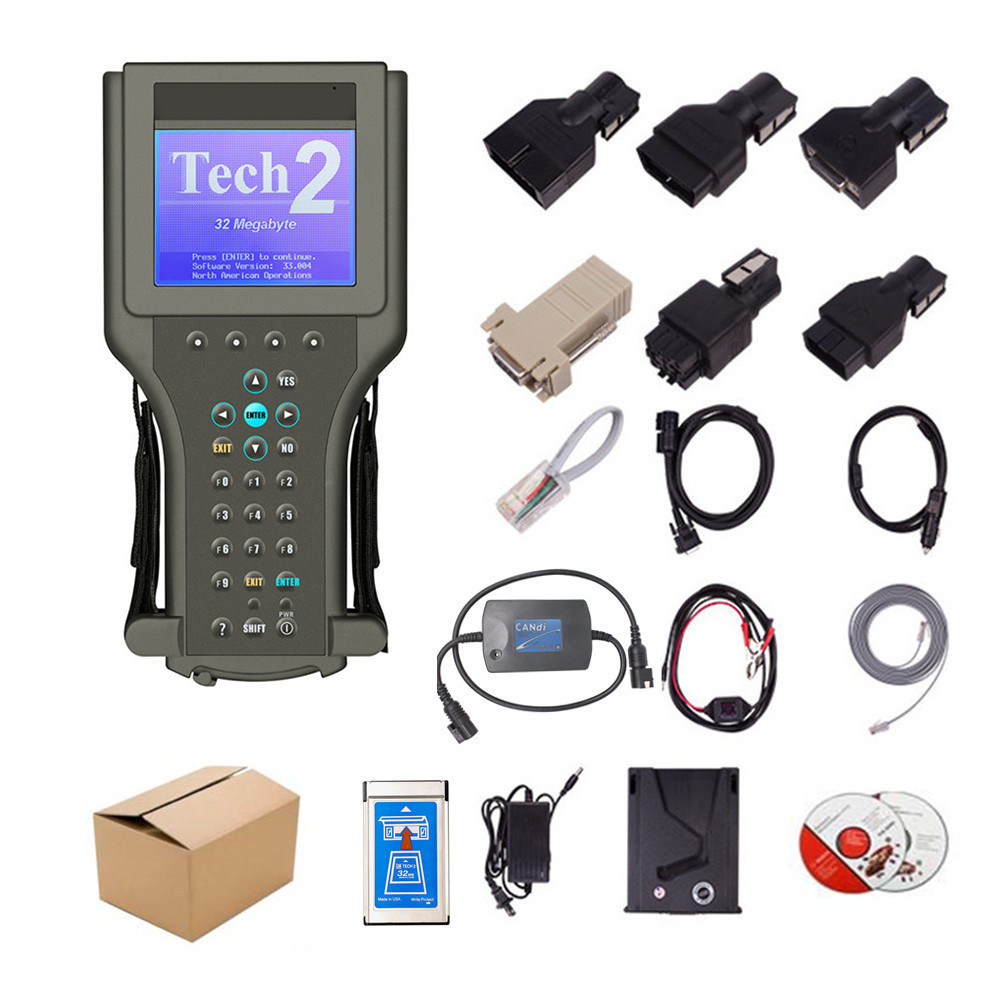
The GM Tech 2 is a highly capable, handheld diagnostic tool that served as the official factory scanner for GM from 1996 through 2013. It offers comprehensive, dealer-level functionality, including:
Reading and clearing diagnostic trouble codes (DTCs) from all vehicle modules (engine, transmission, ABS, etc.).
Performing bi-directional controls to test components.
Viewing live data streams.
Reprogramming control modules.
For any
GMC Sierra 2500 model from 1996 to 2013, the GM Tech 2 is the perfect tool for in-depth diagnostics and repairs. It provides full access to the vehicle's systems, allowing you to troubleshoot issues with the same precision as a professional technician.
The Shift to GM MDI2 and GDS2
Starting with the 2014 model year, GM began transitioning to a new diagnostic architecture known as the "Global A" platform. This change necessitated a new diagnostic system: the GM MDI (Multiple Diagnostic Interface) and its accompanying software, GDS2 (Global Diagnostic System 2).
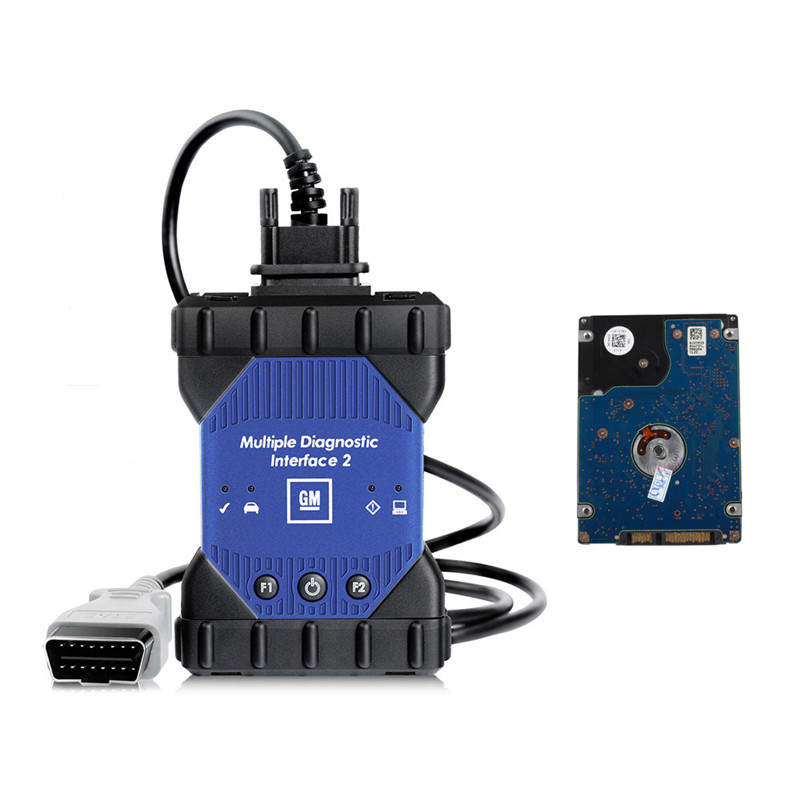
While a GM Tech 2 might still be able to read basic engine codes on some 2014 and newer models, it will not provide the full, in-depth functionality required for modern systems. The GDS2 software, running on a laptop with a GM MDI or GM MDI2 interface, is the correct tool for these vehicles. It is designed to handle the increased complexity and data processing of newer GMC Sierra 2500 trucks.
In short:
1996-2013 GMC Sierra 2500: Use a GM Tech 2.
2014-Present GMC Sierra 2500: Use a
GM MDI2 with GDS2 software.
Choosing the Right GM Scanner for Your Sierra 2500
While the official GM tools are the best for comprehensive diagnostics, there are many excellent aftermarket scanners that can also get the job done for most DIYers.
For basic code reading: A simple OBD-II code reader is all you need to read and clear generic powertrain codes.
For advanced DIYers: Look for a scanner with bi-directional controls, live data streaming, and the ability to read codes from all vehicle systems (ABS, SRS/airbag, transmission, etc.). Many brands like Innova, Autel, and Launch offer models that provide a great balance of features and cost.
For a serious mechanic or a dedicated truck owner who wants to perform dealer-level diagnostics, investing in a high-quality, professional-grade scanner that mimics the GM Tech 2 or GM MDI is a wise decision.