WiTech 2.0 not working with J2534 VCI? Many users report disconnections during PCM programming after the latest update. Learn troubleshooting tips, proven workarounds, and how to demand a fix from Chrysler.
WiTech 2.0 Not Working With Verified J2534 VCI: A Critical Software Issue
Introduction about WiTech 2
Many automotive technicians rely on WiTech 2.0, Chrysler’s diagnostic and programming software, for module reprogramming and vehicle servicing. However, recent reports indicate that WiTech 2.0 fails to work with verified J2534 pass-thru devices after a software update, causing disruptions in PCM programming and other critical functions.
This article explores the issue, its possible causes, and potential solutions while addressing user frustrations with WiTech 2.0 support.
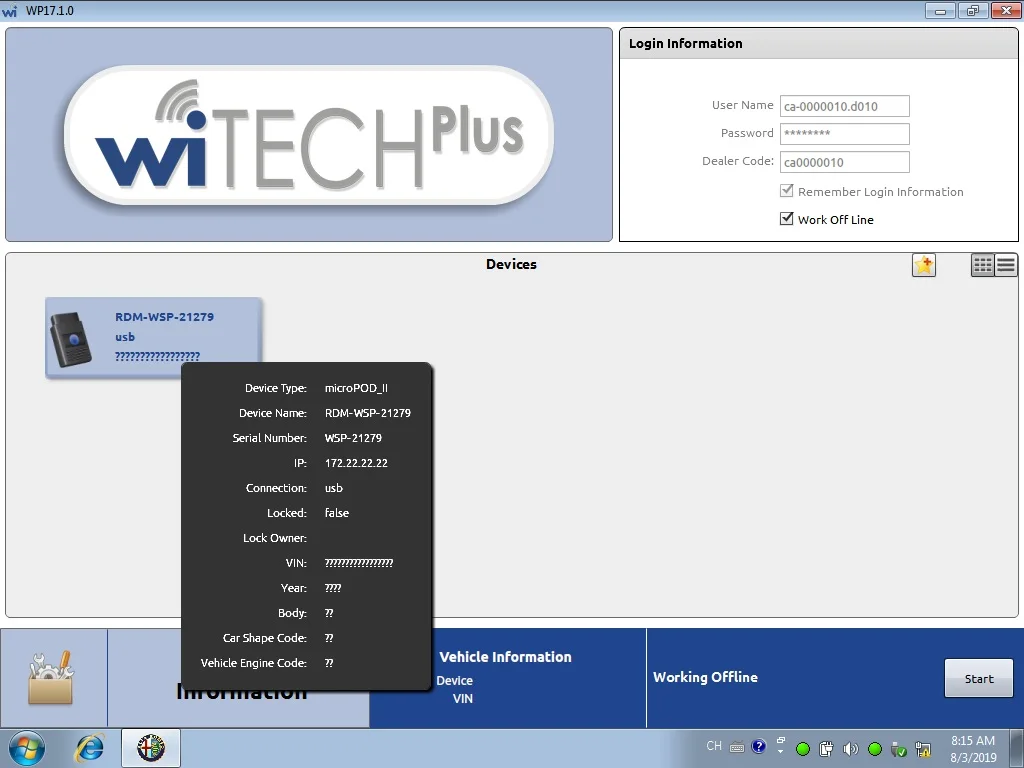
The Problem: WiTech 2 Disconnects During Programming
Several users have reported that after a recent WiTech 2.0 update (around April 25, 2022), the software fails to maintain a stable connection with J2534-compatible VCIs (Vehicle Communication Interfaces). Key symptoms include:
- Sudden disconnections during PCM programming
- No error codes displayed
- Failure across multiple VCIs (including Cardaq Plus 3)
- Same issue persists on different vehicles and laptops
User Experience & Support Response
One technician described their experience:
"I contacted WiTech 2.0 support multiple times, spent over 3 hours troubleshooting, and even tried different laptops, VCIs, and vehicles. The issue persists, yet support insists it’s a VCI or vehicle problem—even though a Micropod worked fine. OPUS confirmed the J2534 VCI was functioning correctly, meaning the issue lies with WiTech 2.0."
Another user on
www.cartooldeal.com confirmed:
"After Monday’s update, none of my J2534 VCIs work with WiTech 2.0, even though they worked perfectly last Friday."
Despite these reports, WiTech 2.0 support has not acknowledged a software bug, leaving technicians unable to perform critical programming tasks.
Possible Causes of the WiTech 2.0 J2534 Issue
1. Faulty Software Update
- The recent WiTech 2.0 update may have introduced compatibility issues with J2534 pass-thru devices.
- Since Micropods (Chrysler’s proprietary tool) still work, the problem likely stems from J2534 API communication errors in the update.
2. Network Connectivity Issues (Unlikely)
Some users tried wired Ethernet, WiFi, and mobile hotspots, but the problem persisted, ruling out connection instability.
3. VCI Driver Conflicts
If the update altered how WiTech scan tool interacts with J2534 drivers, it could cause unexpected disconnections.
Troubleshooting Steps (What Users Have Tried)
Switching VCIs & Laptops → No change.
Testing Different Vehicles → Same issue occurs.
Using Different Network Connections (Ethernet/WiFi) → No improvement.
Contacting WiTech Support → No resolution, blamed VCI/vehicle.
Third-Party Verification (OPUS) → Confirmed the J2534 VCI was functioning correctly.
Potential Workarounds & Solutions
Since WiTech 2.0 support has not provided a fix, technicians can try:
Roll Back to a Previous WiTech 2.0 Version (if possible)
Use a Micropod Instead of J2534 VCI (though this is an added cost)
Check for New Updates (WiTech may release a patch)
Contact Chrysler/Stellantis Technical Support Escalation (demand a bug fix)
Conclusion: WiTech 2.0 Needs a Fix
The current WiTech 2.0 J2534 issue is clearly a software problem, not a hardware or vehicle fault. Until Chrysler/Stellantis releases an update, technicians are left without a reliable way to program modules using J2534 devices.
Have you experienced this issue? Share your story in the comments to raise awareness and push for a resolution!



