OTC Plus 3 in 1 HDD Software Blue Screen Error Boot Device Missing or Boot Failed
By Kelly
April 30th, 2024
553 views
OTC PLUS 3 in 1 is a diagnosis and programming tool for Toyota, Nissan and Volvo. For the convenience of customers, engineers have installed Toyota ITS , Nissan Consult 3 , and Volvo vida software on a computer hard drive. When you receive the package, you just need to install our hard drive into your computer.
Please note that the computer's startup boot mode must be Legacy, not UEFI.
OTC Plus 3 in 1 HDD Software Blue Screen Error Boot Device Missing or Boot FailedOTC PLUS 3 in 1 is a diagnosis and programming tool for Toyota, Nissan and Volvo. For the convenience of customers, engineers have installed Toyota ITS , Nissan Consult 3 , and Volvo vida software on a computer hard drive. When you receive the package, you just need to install our hard drive into your computer.
Please note that the computer's startup boot mode must be Legacy, not UEFI.
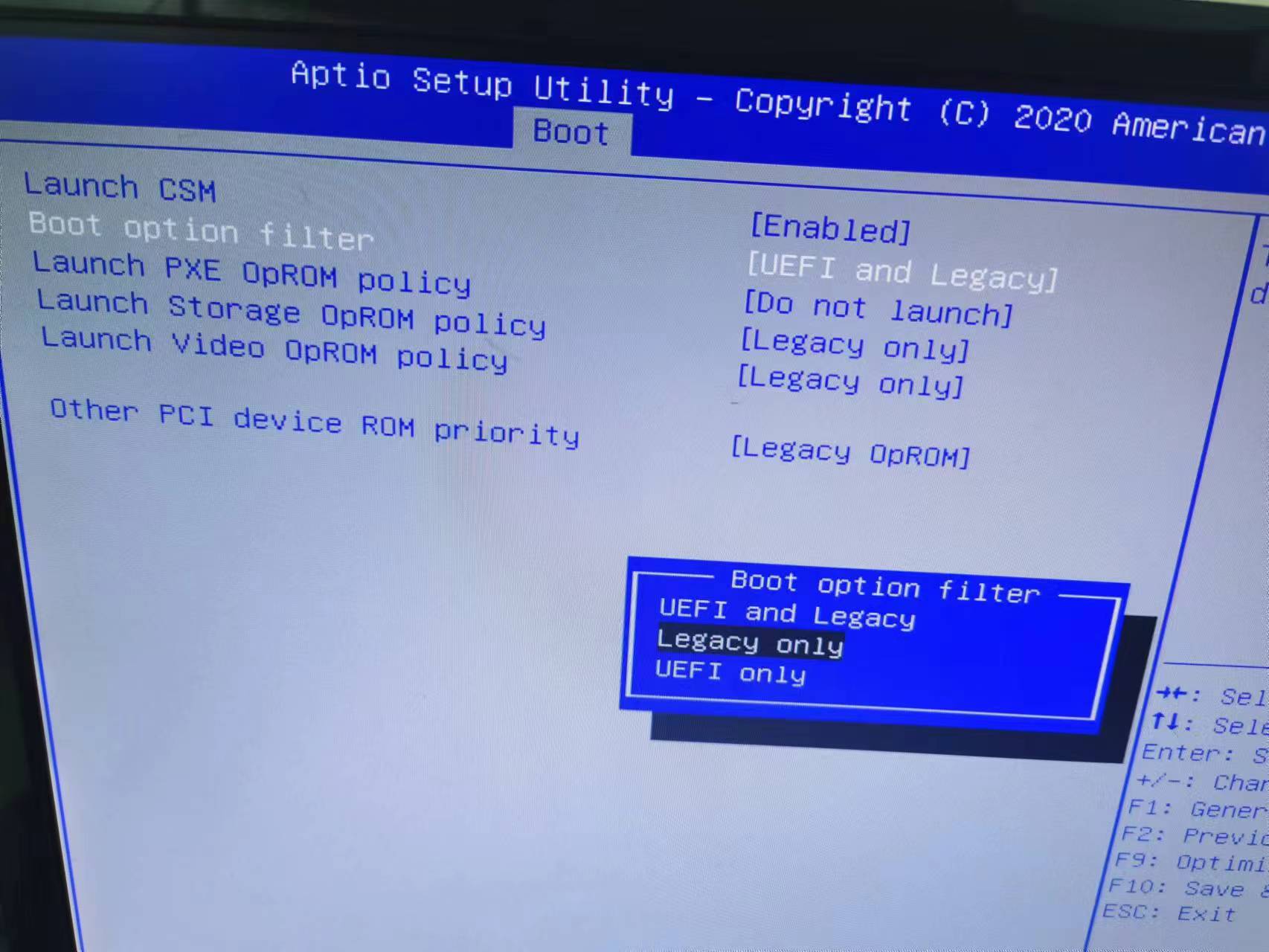
If your computer has multiple hard drives, remove the original hard drive and install the OTC hard drive. OTC's hard drive cannot be connected via USB and must be installed in the computer for normal use.
Previous
V2024.03 Newest Version BMW ICOM Software Available - Suitable for BMW ICOM NEXT ICOM A2 Interface
Read More
Next
Porsche PIWIS 3 Diagnostic Tool Guide & PASM Calibration Blueprint (2026 Edition)
Read More



