Learn how to correctly connect your GM TECH 2 scanner to your car’s OBD2 port and avoid damage. Includes wiring tips, power supply instructions, and a free TECH 2 user guide download.
The
GM TECH 2 scanner is a powerful diagnostic tool for troubleshooting GM vehicles. However, incorrect connections can damage the device. Follow this guide to ensure a safe and proper TECH 2 setup.
Step 1: Locate the OBD2 Port
Most GM vehicles (1996 and newer) have an OBD2 port under the dashboard. Common locations include:
Near the driver’s knee bolster
Beneath the steering column
Inside the center console
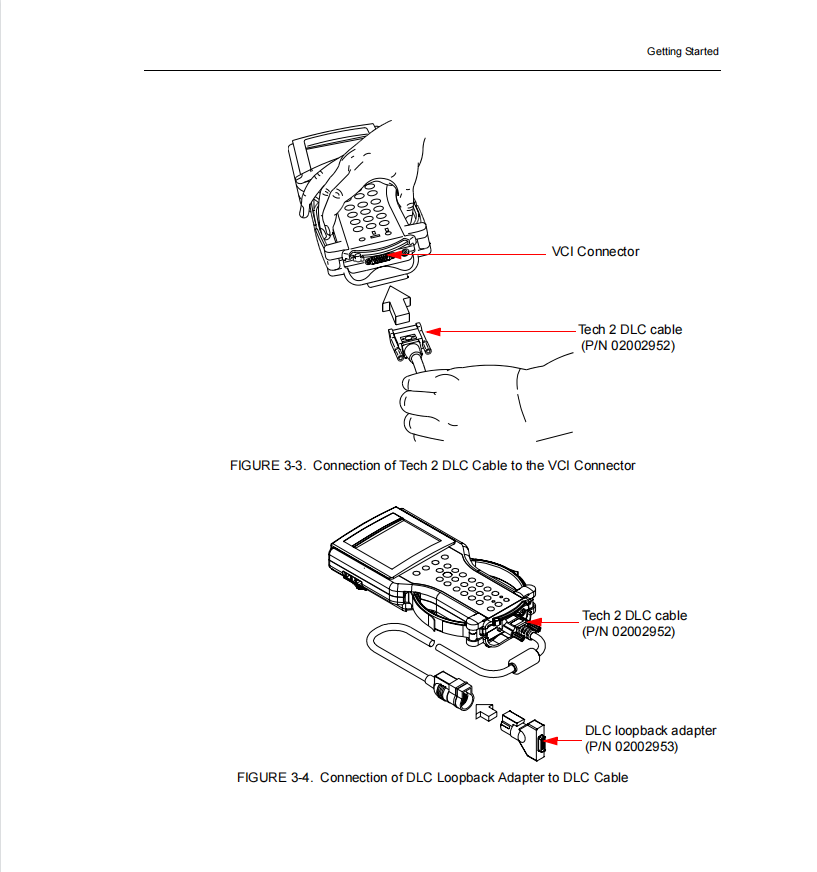
Step 2: Connect the GM TECH 2 Main Cable to the OBD2 Port
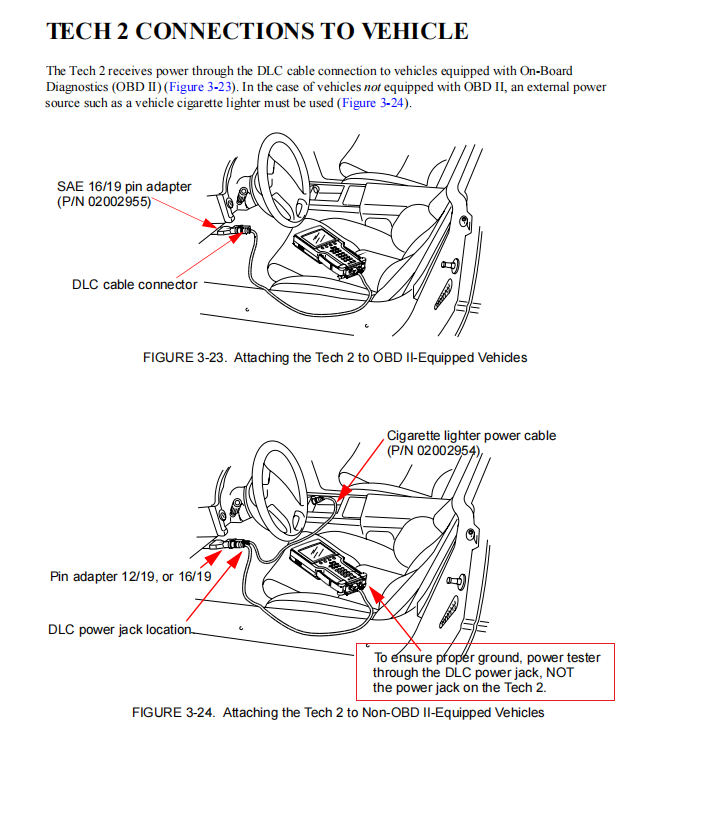
Plug the TECH 2’s main OBD2 cable into the vehicle’s diagnostic port.
The scanner will power on automatically through the OBD2 connection in most cases.
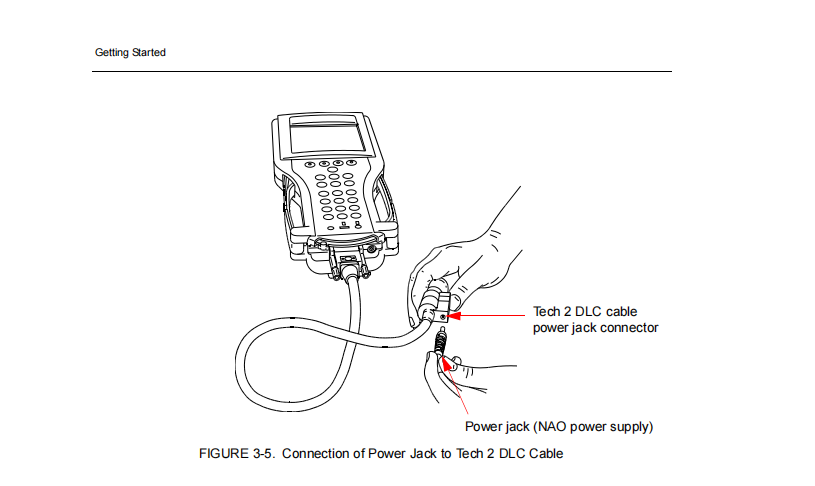
⚠️ Important Note:Do NOT connect the cigarette lighter power cord directly to the TECH 2 head unit—this can cause damage.
Only use the cigarette lighter adapter if the OBD2 port doesn’t provide stable power (rare cases).
Step 3: Using the Cigarette Lighter Power Cord (If Needed)
For vehicles with unstable OBD2 power:
Connect the cigarette lighter adapter to the TECH 2 main cable (not the head unit).
Plug the adapter into the car’s 12V socket.
🔹 Why This Matters:The TECH 2 head unit is not designed for direct cigarette lighter power—improper connection can fry the device.
Always ground the scanner through the DLC power jack for stable operation.
Step 4: Turn On the Ignition (Do Not Start the Engine)
Set the ignition to ON (Key ON, Engine OFF – KOEO) mode.
The TECH 2 will boot up and communicate with the vehicle’s ECU.
Step 5: Select Your Vehicle Model & Run Diagnostics
Navigate the TECH 2 menu to choose the correct GM make, model, and year.
Access trouble codes, live data, and module programming as needed.
Avoid These Common GM TECH 2 Connection Mistakes
❌ Never plug the cigarette lighter cord into the TECH 2 head unit—use only the main cable.
❌ Don’t start the engine while diagnosing unless performing specific active tests.
❌ Avoid cheap OBD2 splitters—they may cause power fluctuations.
Properly connecting your GM TECH 2 scanner ensures accurate diagnostics and prevents damage. Remember:
✔ Use the OBD2 port for power in most cases.
✔ Only use the cigarette lighter adapter on the main cable if OBD2 power is unstable.
✔ Never plug 12V directly into the TECH 2 head unit.
By following these steps, you’ll maximize your GM diagnostic tool’s lifespan and avoid costly repairs.
Need a reliable TECH 2 scanner? Visit
www.cartooldeal.com for GM diagnostic tools!



