
When servicing a modern CASE TR310B compact track loader, having the right heavy equipment diagnostic tool can mean the difference between a quick turnaround and a costly tow to the dealership. Whether you are addressing an unexpected limp mode, checking hydraulic system fault codes, or replacing a failed electronic control unit (ECU), knowing what tool handles which specific parameter is critical.
For operators and heavy-duty repair shops dealing with the CASE B-Series track loaders (such as specific machine serial numbers like JAFTR310CMM495943), diagnostic tasks usually fall into three distinct tiers. This guide reviews the diagnostic options that work for your equipment, technical laptop specifications, and step-by-step connection safety protocols.
Different diagnostic tools offer varying levels of access to the CASE machine control network. While aftermarket platforms excel at reading codes and checking live telemetry, modifying core system architectures requires specialized access.
| Repair Command | OEM CNH EST Diagnostic Kit | Aftermarket Multibrand Scanner (e.g., Jaltest OHW) |
| Read & Clear Active/Inactive Codes | YES (With complete factory service manuals & schematics) | YES (Deep code parsing across entire CAN-bus network) |
| Update Existing Module Firmware | YES (Direct access to the secure CNH $eTIM$ database server) | NO (Restricted to changing parameter adjustments only) |
| Flash & Initialize a New Blank ECU | YES (Full factory bootloading & VIN matching capability) | NO (Cannot write base flash files to blank virgin chips) |
If your repair job involves installing a brand-new, blank replacement engine controller or machine control unit, the CNH EST Kit combined with an RP1210 protocol adapter (such as the Dearborn Protocol Adapter 5 / DPA5 or CNH CoreXS multiplexer) is mandatory.
A virgin parts-counter ECU has no base microcode written onto its flash sector. The CNH EST software bridges your workshop to the manufacturer network, allowing you to download the exact flash file mapped to your loader's serial sequence, pair the engine to the machine body controller, and log injector trim calibrations.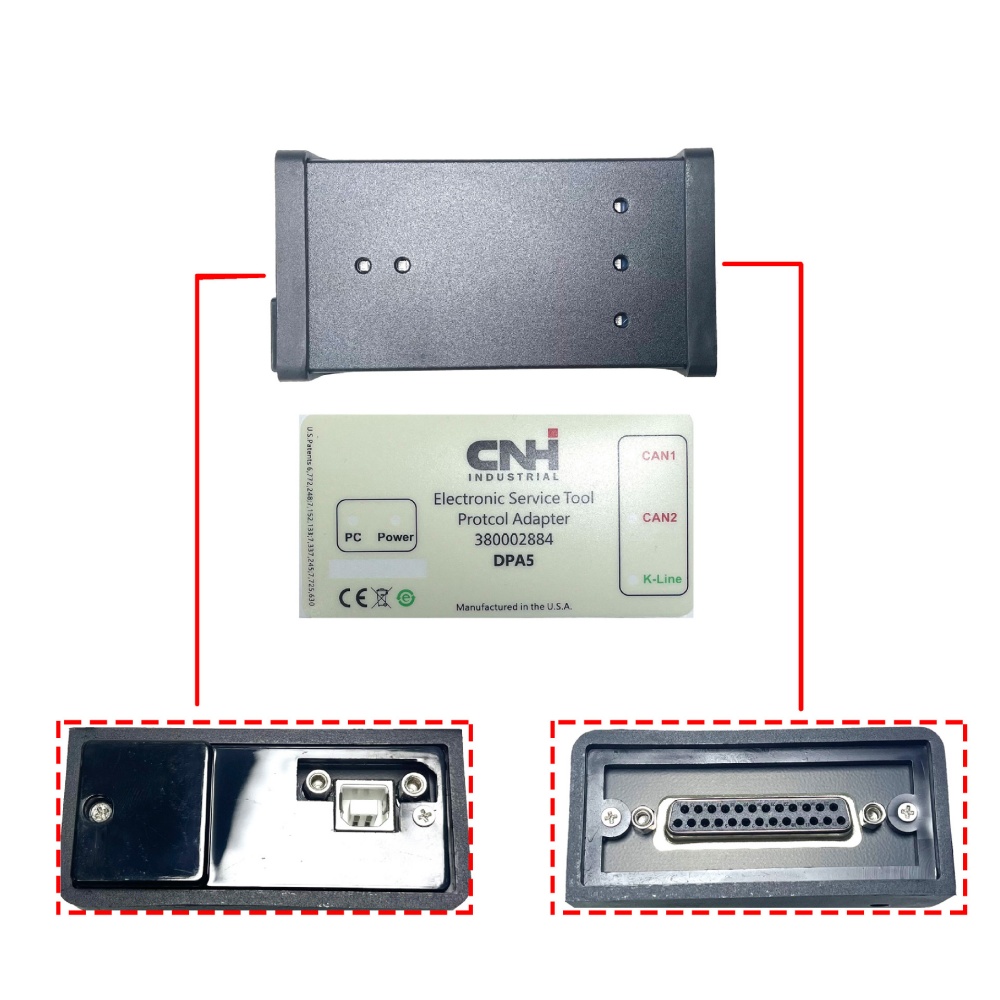
If you are managing a mixed fleet of compact track loaders, telehandlers, and excavators, an aftermarket heavy equipment platform like Jaltest Off-Highway (OHW) or Cojali is highly effective for daily service.
What it can do: It handles 95% of field service repairs—including forced DPF regenerations, resetting hydraulic system adaptions, viewing command values on joysticks, and clearing historic engine faults.
What it cannot do: It cannot flash an unprogrammed, blank ECU. If you use a pre-programmed used ECU from a matching donor TR310B loader, these high-tier multi-brand scanners can usually synchronize parameters, but they cannot perform the primary firmware initialization.
The localized databases required to run industrial diesel machinery software are resource-heavy. Dropping data packets or experiencing a computer freeze mid-flash can brick an expensive microcontroller. Ensure your diagnostic laptop satisfies these baseline system metrics:
Operating System: Windows 10 Professional or Windows 11 Professional (64-bit platforms only). Note: Standard "Home" versions or ARM architectures like Snapdragon are not supported.
Processor (CPU): Intel Core i5 / i7 (10th Generation or newer) or AMD Ryzen 7 equivalents.
Memory (RAM): 16 GB baseline to ensure seamless transmission of high-bandwidth live data streams.
Storage Architecture: 500 GB (or larger) Solid State Drive (SSD). Mechanical hard drives cannot index large multi-point electrical schematic databases efficiently.
Peripheral Connections: High-shielded USB cable connections and an FTDI Chipset serial-to-USB converter to stabilize baud rates.
To prevent communication drops across the J1939 CAN-bus array during maintenance, follow this specialized connection protocol:
[Laptop with EST] ---> (High-Shielded USB Cable) ---> [VCI / DPA5 Adapter Box] ---> (9-Pin Deutsch Cable) ---> [TR310B Diagnostic Port]
Locate the Interface Port: Gain access to the heavy-duty 9-pin Deutsch diagnostic port connector inside the loader cabin enclosure, typically situated near the internal fuse box panel or beneath the lower operator console framework.
Hardware Alignment: Attach your VCI translation box to the laptop using high-shielded data cabling. Avoid ungrounded multi-ports or loose adapters.
Boot Order: Switch on the laptop computer and open the software workspace interface prior to turning the ignition key of the machine. This allows computer device drivers to allocate COM ports before the machine starts transmitting data packets.
Key-On Sequencing: Rotate the machine ignition key to the "ON" position (Keep the engine off).
Voltage Stabilization: Always connect an external, voltage-regulated battery maintainer/charger to the loader battery throughout the firmware flash. If system voltage drops beneath 12.2V during an ECU rewrite loop, the microchip can become permanently unresponsive.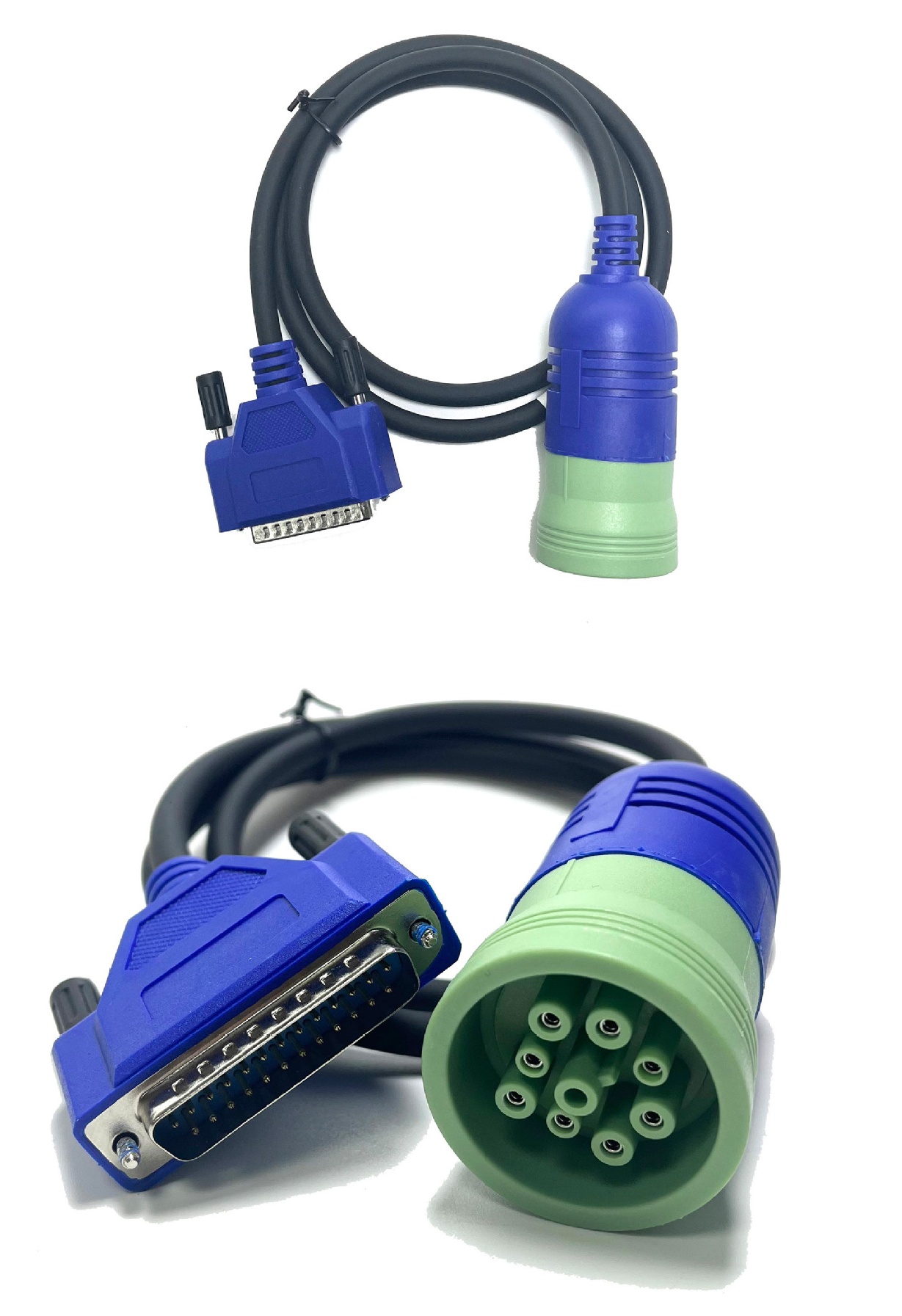
No. While the advanced multi-function LCD cluster inside the cab will display basic warning symbols and notification alarms for critical system faults, reading full fault code registers, reviewing freeze frame metrics, or running actuator component tests requires an external diagnostic tool linked to the J1939 port.
The CASE TR310B compact track loader is powered by an electronically controlled Tier 4 Final high-pressure common rail diesel engine, relying on an ECU network to manage fuel delivery, emissions control assemblies, and performance profiling.
No. Standard automotive diagnostic scanners use basic OBD2 protocols (such as J1850 or ISO 9141) and a 16-pin layout. Commercial heavy construction machinery relies on industrial-grade SAE J1939 CAN-bus protocols transmitted through an entirely different 9-pin Deutsch connection layout.


